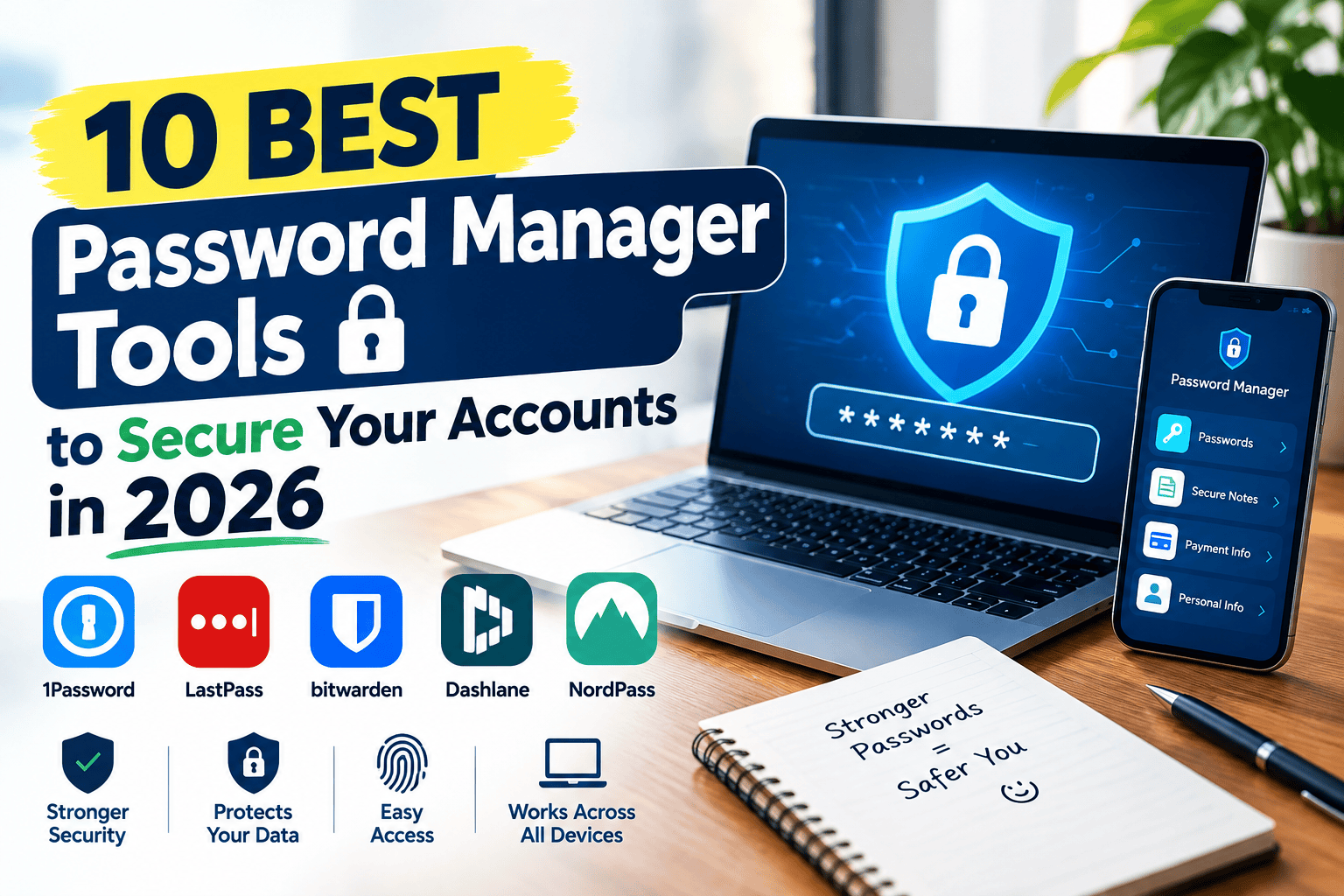
If you’re still reusing the same two or three passwords across dozens of accounts, you’re not alone — but you’re also one data breach away from a very bad week. A single leaked password from an unrelated site can give attackers access to your email, banking, and social accounts if you’ve reused it anywhere. Compromised credentials are consistently cited as one of the leading causes of data breaches, which makes a password manager one of the simplest, highest-impact security upgrades you can make.
The good news is that today’s password managers do far more than just remember logins — they generate strong passwords, warn you about breached credentials, and increasingly support passkeys. Here’s a breakdown of the 10 best password manager tools in 2026, what they actually cost, and which one fits your situation.
What Is a Password Manager?
A password manager is an app that stores all your login credentials in an encrypted vault protected by a single master password. Instead of memorizing (or reusing) dozens of passwords, you remember one strong master password, and the manager automatically fills in the rest when you log into a site or app.
For example, someone signing up for a new streaming service can let their password manager generate a random, 20-character password on the spot, save it automatically, and never have to think about it again.
Why Password Managers Matter in 2026
Credential Theft Is Still the Leading Attack Vector
Stolen or weak credentials remain the leading cause of data breaches, with independent industry research consistently finding that the large majority of hacking-related breaches involve compromised login details. A password manager directly addresses this by making unique, strong passwords the default instead of the exception.
Who Benefits Most
- Everyday users juggling dozens of accounts across email, banking, shopping, and social media
- Families who want to securely share select passwords (streaming, Wi-Fi, shared accounts) without texting them
- Freelancers and small businesses managing shared logins for tools and client accounts
- Security-conscious users who want breach monitoring and passkey support built in
Best Password Manager Tools (Reviewed)
1. Bitwarden
Price: Free (unlimited passwords, all devices); Premium around $10–19.80/year; Family plan around $40/year (6 users) Bitwarden is consistently the pick for people who want strong security without paying anything, since its free plan is genuinely full-featured rather than a stripped-down trial.
- Pros: Fully open-source and independently audited, unlimited devices and passwords on the free plan, self-hosting option available for advanced users
- Cons: Interface is less polished than 1Password or Dashlane; premium price roughly doubled in early 2026
- Best for: Budget-conscious users and anyone who values open-source transparency over a slicker interface
2. 1Password
Price: Individual plans around $3–4/month; Family plans around $5–6/month (varies by region); Business around $7.99/user/month 1Password is widely regarded as the most polished password manager available, with strong organizational features for people managing dozens of accounts across categories.
- Pros: Excellent, intuitive app design across all platforms, strong travel security features (Travel Mode hides vaults when crossing borders), robust family and team sharing
- Cons: No free tier — subscription required from day one; prices increased in 2026
- Best for: Users and families who want the most polished, easy-to-use experience and don’t mind paying for it
3. Dashlane
Price: Premium around $4–5/month; Family plans somewhat higher; free plan discontinued in 2026 Dashlane bundles more than password storage — its Premium plan includes a built-in VPN and a visual password health dashboard that flags weak or reused credentials.
- Pros: Bundled VPN adds real value if you don’t already pay for one separately, intuitive setup and autofill, strong password health reporting
- Cons: Most expensive of the major options; free plan was discontinued, so there’s no truly no-cost tier anymore
- Best for: Users who want an all-in-one subscription that includes a VPN alongside password management
4. Keeper
Price: Personal plans around $2.92–6/month; Business plans with strong compliance features Keeper leans hard into compliance and enterprise security, making it a common choice for businesses operating under strict regulatory requirements.
- Pros: Strong compliance certifications (FedRAMP, HIPAA, SOC 2, ISO 27001), reliable enterprise-grade security
- Cons: Interface feels more enterprise-focused than consumer-friendly
- Best for: Businesses and regulated industries that need compliance certifications as much as core password features
5. NordPass
Price: Premium around $16.56/year (varies with promotions); business plans available Backed by the same company behind NordVPN, NordPass offers a clean interface and solid core features at one of the more affordable premium price points.
- Pros: Competitive pricing under $20/year, clean and simple interface, decent free tier for basic use
- Cons: Fewer advanced features than 1Password or Dashlane
- Best for: Budget-conscious users who want a clean, no-frills paid option below $20/year
6. Proton Pass
Price: Free tier available; paid plans bundled with Proton’s broader privacy suite (email, VPN, storage) Proton Pass comes from the team behind Proton Mail and Proton VPN, appealing to users who want their password manager to fit into a broader privacy-first ecosystem.
- Pros: Strong privacy reputation, integrates with other Proton privacy tools, no publicly disclosed vault breaches
- Cons: Newer to the password manager space than competitors like Bitwarden or 1Password
- Best for: Users already using Proton Mail or Proton VPN who want a matching password manager
7. RoboForm
Price: Free tier available; paid plans typically in a similar range to NordPass RoboForm has been around longer than most competitors and remains a solid, if less flashy, option — particularly known for strong form-filling beyond just passwords.
- Pros: Long track record, strong web form-filling features, affordable paid tier
- Cons: Interface feels dated compared to newer competitors
- Best for: Users who fill out a lot of web forms and want strong autofill beyond just login credentials
8. LastPass
Price: Free tier (single device); paid plans in a similar range to competitors LastPass was once one of the most popular password managers, but its reputation took a hit after a disclosed 2022 breach involving encrypted customer vault backups. The company has since rebuilt its infrastructure, though the breach history is worth weighing.
- Pros: Long-established feature set, widely supported across platforms
- Cons: Past security breach disclosure remains a lingering trust concern for some users
- Best for: Existing LastPass users who are satisfied with the post-breach security rebuild; new users may want to weigh the breach history first
9. Vaultwarden
Price: Free, open-source (self-hosted) Vaultwarden is a lightweight, self-hosted, Bitwarden-compatible server — appealing specifically to technical users who want zero dependency on any company’s cloud servers.
- Pros: Complete control over where your encrypted vault lives, compatible with official Bitwarden apps, free and open-source
- Cons: Requires technical knowledge to set up and maintain your own server
- Best for: Technically skilled users who want maximum control and no reliance on third-party cloud storage
10. Apple Passwords / Google Password Manager (Built-in)
Price: Free, built into the respective ecosystem For users fully inside the Apple or Google ecosystem, the built-in password managers cover the basics — storing, generating, and autofilling passwords — without installing anything extra.
- Pros: Zero cost, no extra app needed, deeply integrated with the operating system and browser
- Cons: Much weaker cross-platform support if you use a mix of devices from different ecosystems; fewer advanced features like breach monitoring or secure sharing
- Best for: Users who stay entirely within one ecosystem (all-Apple or all-Google/Android) and want the simplest possible setup
How to Choose the Right Tool
Factor 1: Budget and Free-Tier Needs
If cost is the deciding factor, Bitwarden’s free plan remains the most fully-featured no-cost option on the market. If you’re willing to pay a small amount, NordPass and Bitwarden Premium both stay under $20/year.
Factor 2: Ecosystem and Platform Mix
If you use a mix of devices — say, a Windows PC, an Android phone, and a work Mac — a cross-platform tool like Bitwarden, 1Password, or Dashlane will serve you far better than a built-in, ecosystem-locked option.
How to Set Up a Password Manager
Step 1: Choose a Strong Master Password
Your master password is the single point of failure protecting everything else, so make it long, unique, and not reused from anywhere else. A memorable passphrase of several unrelated words is often stronger and easier to recall than a short, complex string.
Step 2: Import Existing Passwords
Most password managers let you import saved passwords directly from your browser or a previous password manager, saving you from manually re-entering everything.
Step 3: Replace Weak or Reused Passwords Gradually
Use the built-in password health or breach-monitoring features to identify weak and reused passwords, then update them one at a time — prioritize your email and banking accounts first, since those unlock access to everything else.
Comparison Table
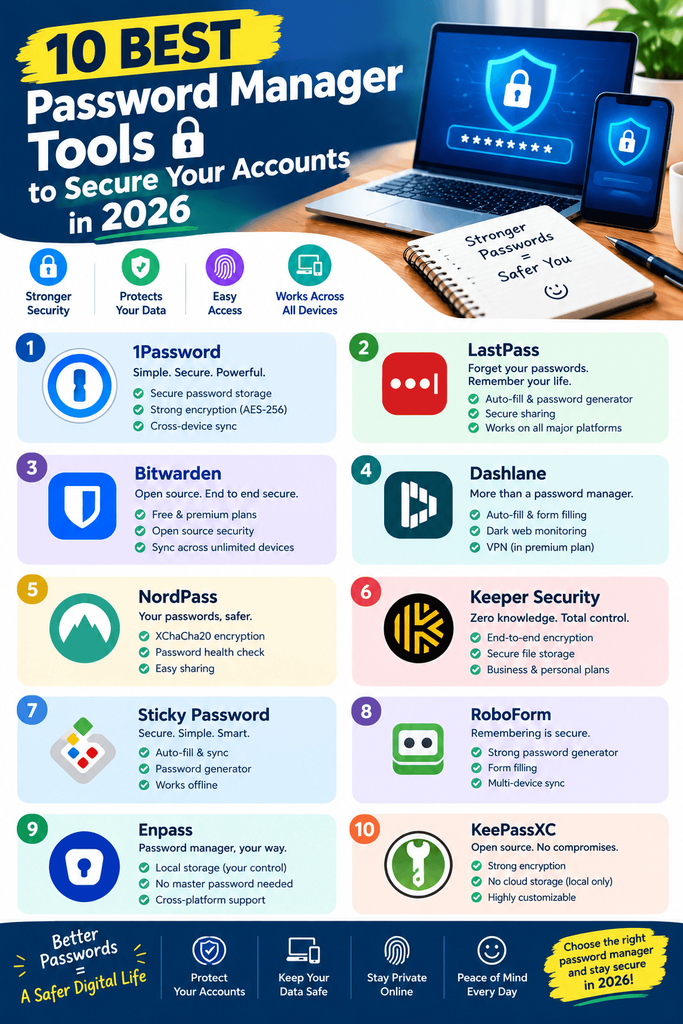
| Tool | Price | Best Feature | Rating |
|---|---|---|---|
| Bitwarden | Free–$19.80/yr | Fully open-source, generous free plan | 4.7/5 |
| 1Password | $3-4/mo+ | Most polished cross-platform experience | 4.6/5 |
| Dashlane | $4-5/mo+ | Bundled VPN + password health dashboard | 4.4/5 |
| Keeper | $2.92-6/mo+ | Strong compliance certifications | 4.4/5 |
| NordPass | ~$16.56/yr | Affordable, clean interface | 4.3/5 |
| Proton Pass | Free–paid bundle | Privacy-first ecosystem integration | 4.3/5 |
| RoboForm | Free–paid tiers | Strong web form-filling | 4.1/5 |
| LastPass | Free (1 device)–paid | Long-established feature set | 3.9/5 |
| Vaultwarden | Free (self-hosted) | Maximum control, zero cloud dependency | 4.5/5 |
| Apple/Google Passwords | Free | Simplest built-in option | 3.8/5 |
Common Mistakes to Avoid
- Reusing your master password anywhere else. It should be the one password that exists nowhere else, ever.
- Not enabling two-factor authentication on the vault itself. Your password manager account deserves the strongest protection you can give it.
- Ignoring breach-monitoring alerts. Most tools flag when a saved password appears in a known data breach — act on those alerts quickly.
- Sticking with an ecosystem-locked tool despite using multiple platforms. Built-in managers get frustrating fast once you add a second device type.
- Delaying migration from weak, reused passwords. Importing your passwords is only step one — actually replacing the weak ones is what provides real protection.
Pros and Cons Summary
Pros of using a password manager:
- Eliminates password reuse, the single biggest driver of account breaches
- Generates strong, unique passwords automatically
- Speeds up logins with autofill across devices
- Many tools now support passkeys, reducing password reliance altogether
Cons to keep in mind:
- Your master password becomes a single point of failure if compromised
- Cloud-based tools carry some inherent trust dependency on the provider
- Free tiers often limit devices or advanced features
- Migrating and cleaning up old passwords takes some upfront effort
Conclusion
There’s no reason left to keep reusing passwords across accounts — the tools that solve this problem are cheap, or in Bitwarden’s case, free. If budget is your main concern, Bitwarden remains the strongest free option. If you want the most polished experience and don’t mind paying, 1Password is worth it. And if you want a bundled VPN alongside your password manager, Dashlane covers both in one subscription.
Whichever tool you pick, the real security gain comes from actually using it consistently — set aside twenty minutes to import your existing passwords and start replacing the weak ones today.