Formatting a resume in Word always seems to go sideways the moment you add a second column or try to adjust spacing — one small edit and the whole layout shifts. Dedicated resume builders solve that problem by handling the design while you focus on the content, and the best ones don’t cost anything to get started.
I’ve helped a few friends fix resumes that looked fine until you noticed the margins were slightly different on every page. Below is a breakdown of the best free resume builder tools, what makes each one worth using, and a few mistakes that quietly hurt otherwise solid resumes.
What is a Resume Builder Tool?
A resume builder is software that provides pre-designed templates and guided sections for building a professional resume, without requiring manual formatting work. You fill in your information, and the tool handles spacing, alignment, and layout automatically.
For example, instead of manually aligning bullet points and adjusting margins in Word, a resume builder lets you type your job history into structured fields and generates a clean, consistent layout instantly.
Why Resume Builders Matter in 2026
Current Trend or Statistic
Many companies now use applicant tracking systems (ATS) to scan resumes before a human ever sees them, which means formatting and keyword structure matter more than they used to. Resume builders have adapted by offering ATS-friendly templates that avoid the graphics and unusual layouts that can confuse automated scanning systems.
Who Benefits and How
- Job seekers create a polished resume without design skills or software struggles.
- Career changers use guided prompts to reframe past experience for a new field.
- Students and new graduates build a first resume from a template rather than starting from scratch.
- Anyone updating an old resume modernizes formatting without redoing everything manually.
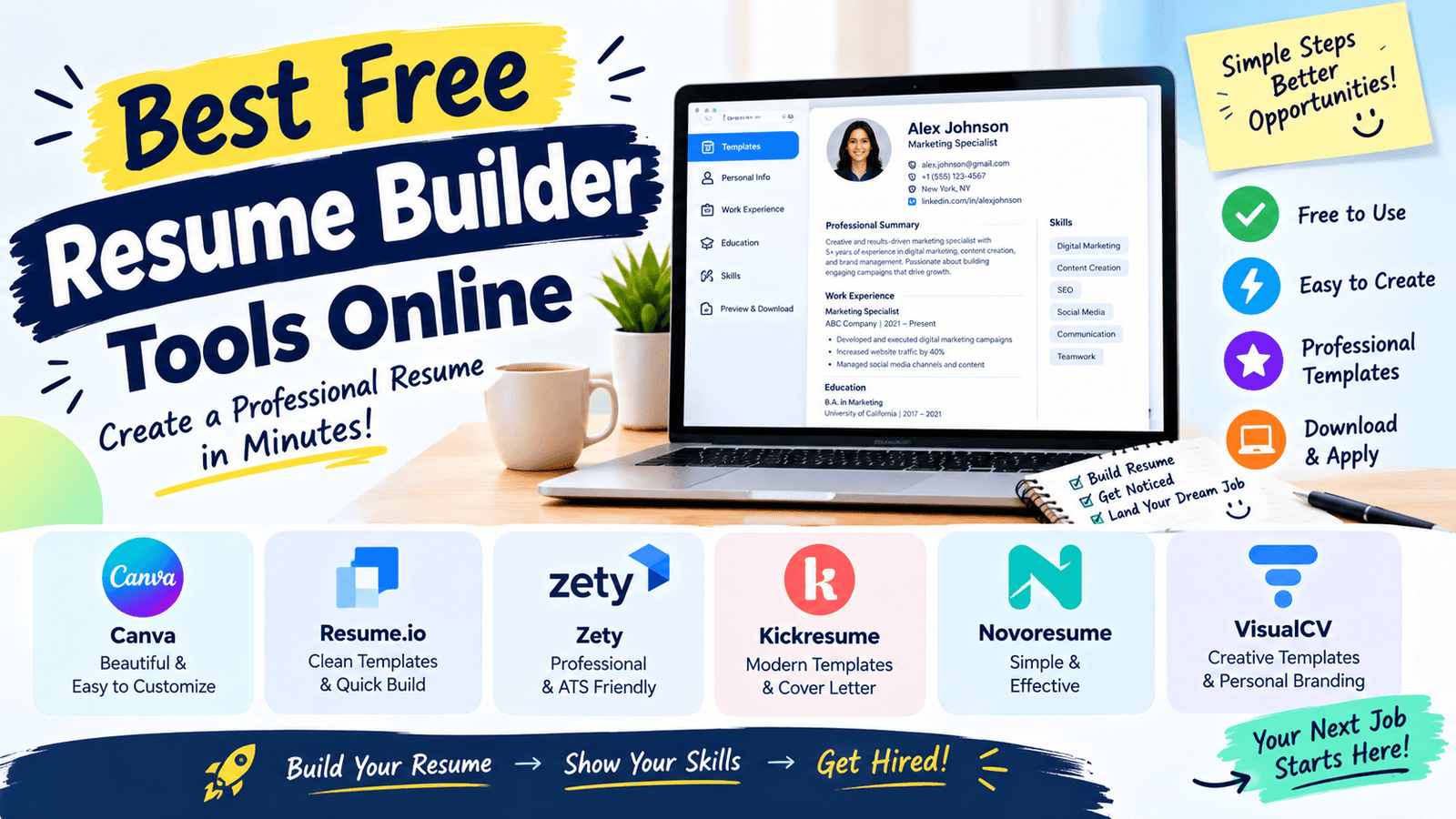
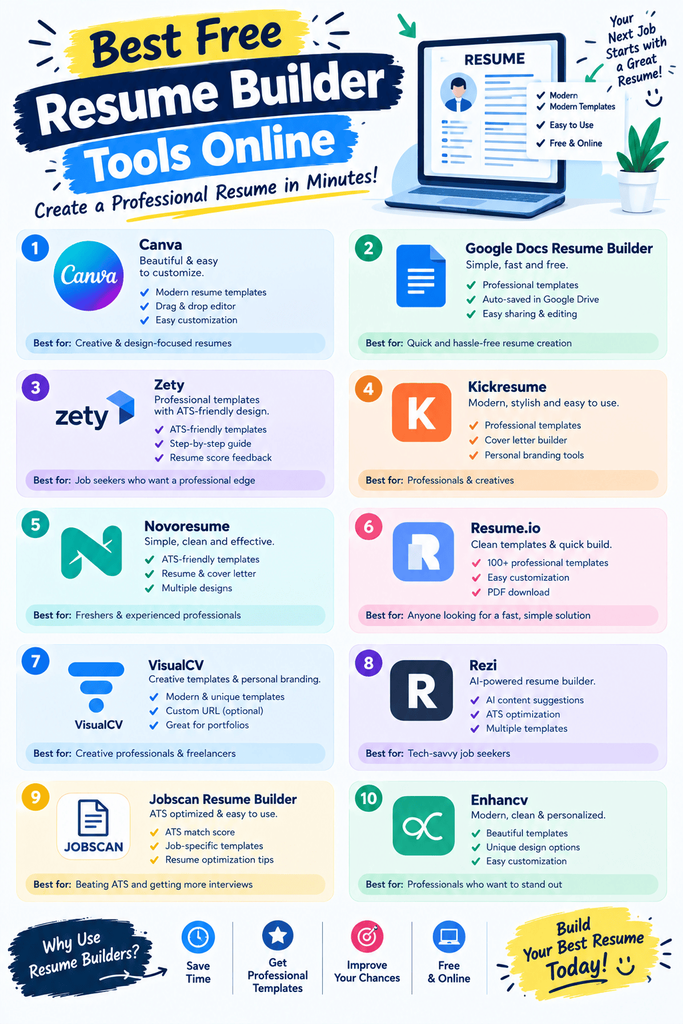
Best Free Resume Builder Tools (Reviewed)
1. Canva Resume Builder
Features: Visually designed templates with drag-and-drop customization. Pros: Wide variety of modern, attractive templates. Cons: Some visually heavy templates aren’t ideal for ATS scanning. Price: Free tier available. Best for: Creative fields where visual design matters more than strict ATS formatting.
2. Zety
Features: Guided resume building with pre-written bullet point suggestions. Pros: Helpful for users unsure how to phrase their experience. Cons: Downloading the finished resume often requires a paid subscription. Price: Free to build, paid to download in most cases. Best for: Users who want writing guidance, not just formatting.
3. Novoresume
Features: Clean, ATS-friendly templates with a straightforward builder. Pros: Templates specifically designed to pass automated resume scans. Cons: Free plan limits some customization options. Price: Free tier available. Best for: Corporate roles where ATS compatibility is critical.
4. Resume.io
Features: Step-by-step resume builder with industry-specific templates. Pros: Templates organized by industry make selection easier. Cons: Free trial converts to a paid subscription for full downloads. Price: Free trial, paid for full access. Best for: Users wanting industry-specific template guidance.
5. Google Docs Resume Templates
Features: Free built-in resume templates inside Google Docs. Pros: Completely free, no watermark, easy to edit and share. Cons: Fewer design options compared to dedicated resume builders. Price: Free. Best for: Simple, no-frills resumes without extra software.
6. Kickresume
Features: AI-assisted resume writing combined with professionally designed templates. Pros: AI suggestions help phrase experience more effectively. Cons: Free plan limits export options. Price: Free tier available. Best for: Users wanting AI help crafting stronger bullet points.
7. Indeed Resume Builder
Features: Simple, free resume builder integrated with Indeed’s job platform. Pros: Completely free with no paywall for downloading. Cons: Template variety is more limited than paid competitors. Price: Free. Best for: Job seekers who want a free, no-catch resume builder.
8. VisualCV
Features: Resume and portfolio building with analytics on who viewed your resume. Pros: Interesting tracking feature for seeing engagement on shared resumes. Cons: Most advanced features require a paid plan. Price: Free tier available. Best for: Job seekers who want to track resume views when sharing online.
How to Choose the Right Tool
Factor 1: ATS compatibility
If you’re applying to larger companies, prioritize ATS-friendly templates like those from Novoresume over visually heavy designs that might confuse automated scanners.
Factor 2: Free download vs. free building
Some tools let you build for free but charge to download — check this before investing time in a template you can’t actually export without paying.
Step-by-Step: How to Build a Strong Resume Online
Step 1: Choose an ATS-friendly template
Avoid overly graphic-heavy designs if you’re applying to companies that likely use automated screening.
Step 2: Fill in achievements, not just duties
Focus on measurable results rather than generic job descriptions — “increased sales by 20%” beats “responsible for sales.”
Step 3: Tailor it for each application
Adjust keywords and emphasis based on the specific job description you’re applying to.
Comparison Table
| Tool | Price | Best Feature | Rating |
|---|---|---|---|
| Canva Resume Builder | Free / Paid | Visually modern templates | 4.5/5 |
| Zety | Free build / Paid download | Guided bullet point writing | 4.3/5 |
| Novoresume | Free / Paid | ATS-friendly formatting | 4.5/5 |
| Google Docs Templates | Free | No-cost simplicity | 4.4/5 |
| Kickresume | Free / Paid | AI-assisted writing | 4.4/5 |
| Indeed Resume Builder | Free | Free downloads, no paywall | 4.3/5 |
Common Mistakes to Avoid
- Using overly designed templates for corporate applications. Heavy graphics can confuse ATS scanners and hurt your chances before a human even sees the resume.
- Listing duties instead of achievements. Quantify results wherever possible instead of just describing responsibilities.
- Using the same resume for every application. Tailoring keywords to match the job description significantly improves ATS matching.
Pros and Cons Summary
Pros: Removes formatting headaches, most tools offer genuinely free options, and templates are designed with modern hiring practices in mind. Cons: Some tools charge for downloads after free building, and overly stylish templates can backfire with ATS systems.
Conclusion
A polished resume doesn’t require design skills or expensive software — the free tools above handle formatting while you focus on the content that actually gets you interviews. Prioritize ATS-friendly templates for corporate roles, and always tailor your resume to the specific job you’re applying for.