Typing a sentence and watching an image appear out of nowhere still feels a little like magic, even after using these tools for months. But not all AI image generators are built the same — some excel at photorealism, others at illustration, and a few are genuinely frustrating to use once you look past the demo videos.
I’ve run the same prompts through several of these tools side by side just to see how differently they interpret the same idea, and the results vary more than you’d expect. Here’s a real comparison of the best AI image generators available, what each one is actually good at, and how to pick the right one for your specific project.
What is an AI Image Generator?
An AI image generator is a tool that creates original images from a text description, known as a “prompt.” You type what you want to see, and the AI produces one or more images based on patterns it learned from vast amounts of visual data.
For example, typing “a cozy cabin in a snowy forest at sunset, digital art style” will produce a unique illustration matching that description, rather than pulling an existing photo from the internet.
Why AI Image Generators Matter in 2026
Current Trend or Statistic
Visual content demand keeps climbing across blogs, social media, and marketing materials, and stock photography alone can’t keep up with how specific and varied that demand has become. AI image generation has filled that gap, letting creators produce custom visuals tailored exactly to their concept instead of settling for a generic stock photo.
Who Benefits and How
- Bloggers and marketers create custom featured images without stock photo subscriptions.
- Small business owners generate product mockups or ad visuals quickly.
- Game and app developers prototype concept art before committing to a final design.
- Hobbyist artists explore ideas and styles they couldn’t otherwise produce by hand.
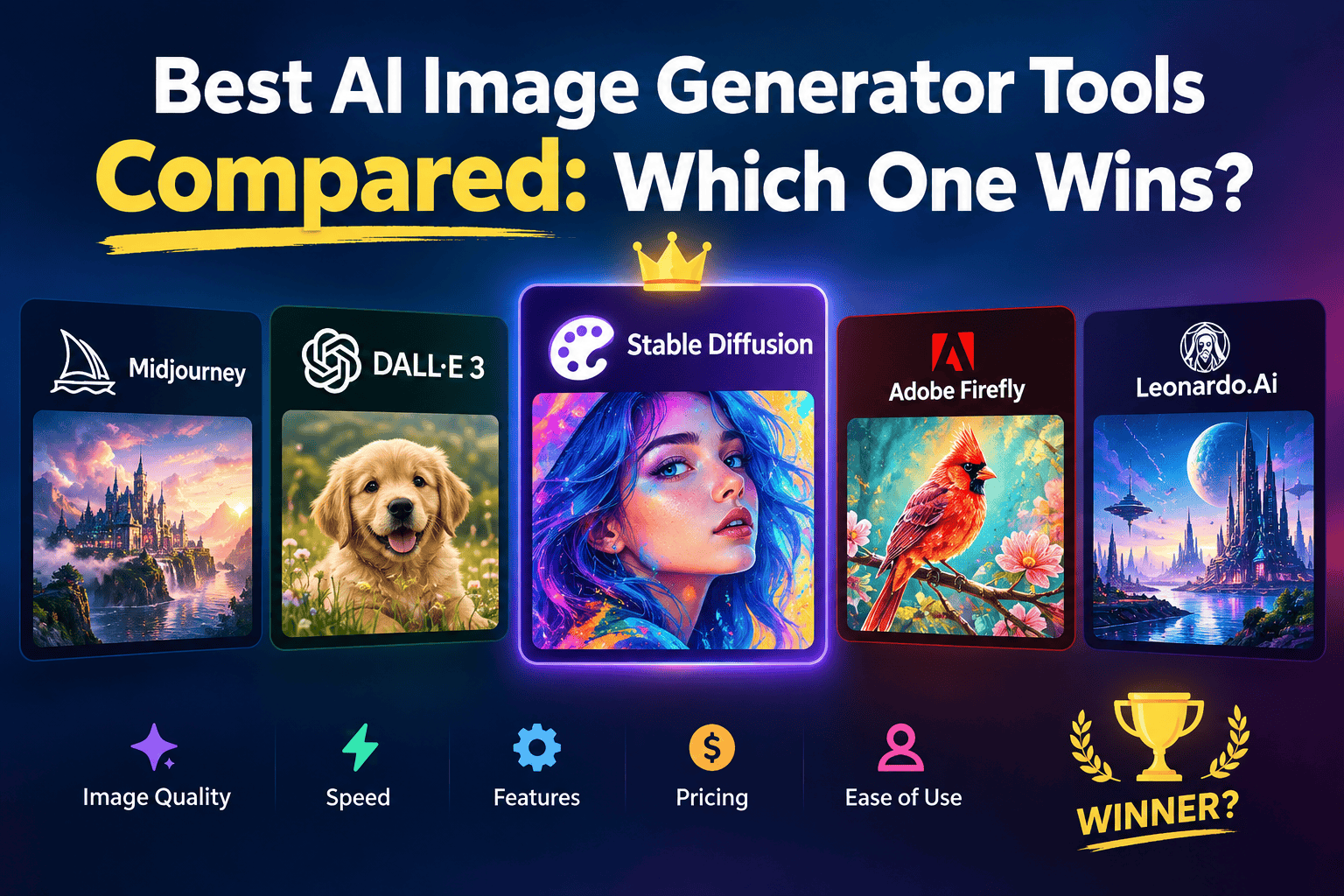
Best AI Image Generator Tools (Reviewed)
1. Midjourney
Features: Highly artistic image generation known for striking, polished visuals. Pros: Arguably the best aesthetic quality of any generator on this list. Cons: No free tier anymore, requires a Discord-based workflow that isn’t for everyone. Price: Paid subscription only. Best for: Artists and designers prioritizing visual quality over convenience.
2. DALL-E (via ChatGPT)
Features: Text-to-image generation integrated directly into ChatGPT’s interface. Pros: Easy to iterate on an image through natural conversation. Cons: Free usage is limited compared to paid ChatGPT plans. Price: Free tier available (limited). Best for: Users who want image generation without leaving a chat interface.
3. Leonardo AI
Features: Fine-tuned style controls and multiple specialized models for different art styles. Pros: More creative control than most free alternatives. Cons: Free daily credits run out quickly with heavy use. Price: Free with daily credits. Best for: Users who want more control over specific art styles.
4. Adobe Firefly
Features: AI image generation trained on licensed content, integrated with Adobe’s Creative Cloud. Pros: Commercially safe since it’s trained on licensed and public domain content. Cons: Free tier has monthly generation limits. Price: Free tier available. Best for: Commercial projects where licensing clarity matters.
5. Stable Diffusion (via DreamStudio or local install)
Features: Open-source image generation model with extensive customization options. Pros: Free to run locally, highly customizable for advanced users. Cons: Requires technical setup if running locally rather than through a hosted service. Price: Free (local) or paid (hosted credits). Best for: Technically inclined users who want full control over the model.
6. Canva AI Image Generator
Features: Text-to-image generation built directly into Canva’s design editor. Pros: Seamless if you’re already designing in Canva. Cons: Less specialized than dedicated image generators. Price: Free tier available. Best for: Quick visuals for social graphics without leaving Canva.
7. Ideogram
Features: Strong at generating readable text within images, a common weak spot for other tools. Pros: Best-in-class for logos or graphics that need legible text. Cons: Less refined for purely artistic or photorealistic imagery. Price: Free tier available. Best for: Designs that require accurate text rendering, like posters or logos.
How to Choose the Right Tool
Factor 1: What style do you need?
Midjourney tends to win on artistic polish, Adobe Firefly on commercial safety, and Ideogram on readable text — match the tool to your specific visual goal rather than picking the “most popular” one.
Factor 2: Commercial usage rights
If the image will be used commercially, check the tool’s licensing terms carefully. Adobe Firefly is built specifically with commercial use in mind, while some others have more ambiguous licensing on free tiers.
Step-by-Step: How to Generate an AI Image
Step 1: Write a detailed prompt
Include subject, style, lighting, and mood — vague prompts produce vague results.
Step 2: Generate multiple variations
Most tools let you generate several options at once; compare them before settling on one.
Step 3: Refine with follow-up prompts
Adjust specific elements through follow-up instructions rather than starting over completely.
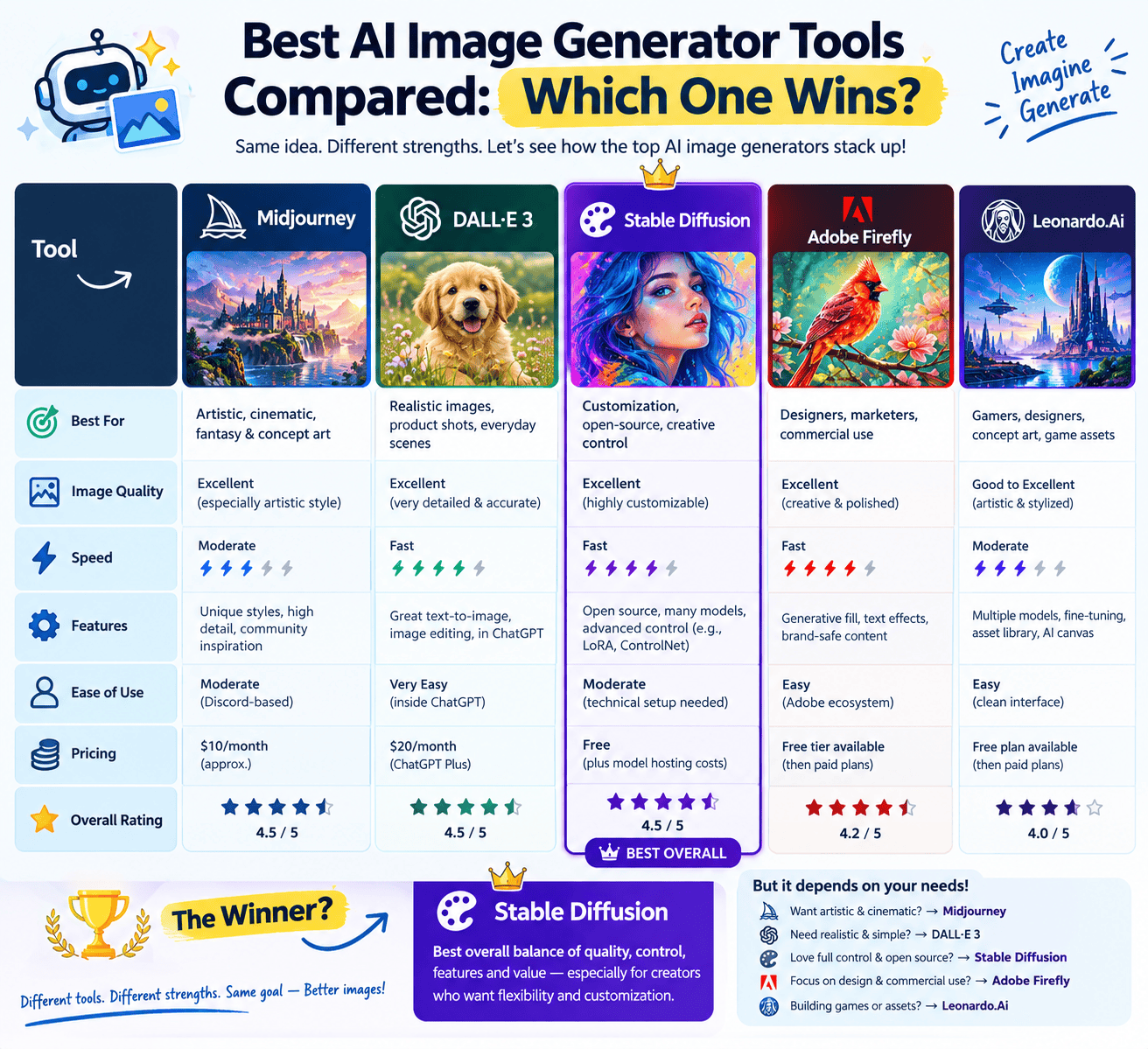
Comparison Table
| Tool | Price | Best Feature | Rating |
|---|---|---|---|
| Midjourney | Paid only | Best artistic quality | 4.8/5 |
| DALL-E (ChatGPT) | Free / Paid | Conversational iteration | 4.5/5 |
| Leonardo AI | Free / Paid | Style control | 4.5/5 |
| Adobe Firefly | Free / Paid | Commercial-safe licensing | 4.4/5 |
| Stable Diffusion | Free / Paid | Full customization | 4.3/5 |
| Ideogram | Free / Paid | Readable text in images | 4.4/5 |
Common Mistakes to Avoid
- Writing vague prompts. “A dog” produces generic results; “a golden retriever running on a beach at sunset, photorealistic” produces something usable.
- Ignoring commercial licensing terms. Not every tool’s free tier permits commercial use — check before using generated images in client work.
- Expecting perfect text or hands on the first try. These remain common weak points across most generators, even in 2026.
Pros and Cons Summary
Pros: Produces fully custom visuals in seconds, removes dependency on stock photography, and most tools offer some form of free access. Cons: Commercial licensing varies by tool, quality control still requires iteration, and the best tools (like Midjourney) have moved to paid-only access.
Conclusion
There’s no single “best” AI image generator — it depends on whether you need artistic polish, commercial safety, readable text, or full customization. Midjourney leads on pure visual quality, Adobe Firefly on licensing clarity, and free tools like Leonardo AI and DALL-E cover most everyday needs without cost.