Ever sent a “big announcement” email to your customer list, only to watch it land in twelve people’s spam folders and get opened by three? Email marketing still delivers one of the highest returns of any marketing channel, but only if you’re using a tool that actually gets your message delivered, tracked, and read — without draining a small business budget in the process.
This guide covers the best free (or free-to-start) email marketing tools for small businesses, what each one is actually good at, and how to figure out which fits your list size and goals.
What Is Email Marketing Software?
Email marketing software lets businesses design, send, and track email campaigns to a list of subscribers — think newsletters, promotional offers, or automated welcome sequences. For example, a small candle business might use one of these tools to automatically send a discount code the moment someone signs up on their website, without a person having to send it manually.
Why Email Marketing Still Matters in 2026
It’s Still One of the Highest-ROI Channels
Unlike social media, where algorithms decide who sees your content, email goes directly to a subscriber’s inbox — assuming your deliverability is solid. That direct access is why email marketing remains a top-performing channel for small businesses, especially for repeat customers and loyalty campaigns.
Who Benefits Most
Small e-commerce stores use it for abandoned cart reminders and promotions. Local service businesses use it for newsletters and appointment reminders. Content creators use it to build a direct audience relationship that isn’t dependent on a social platform’s algorithm.
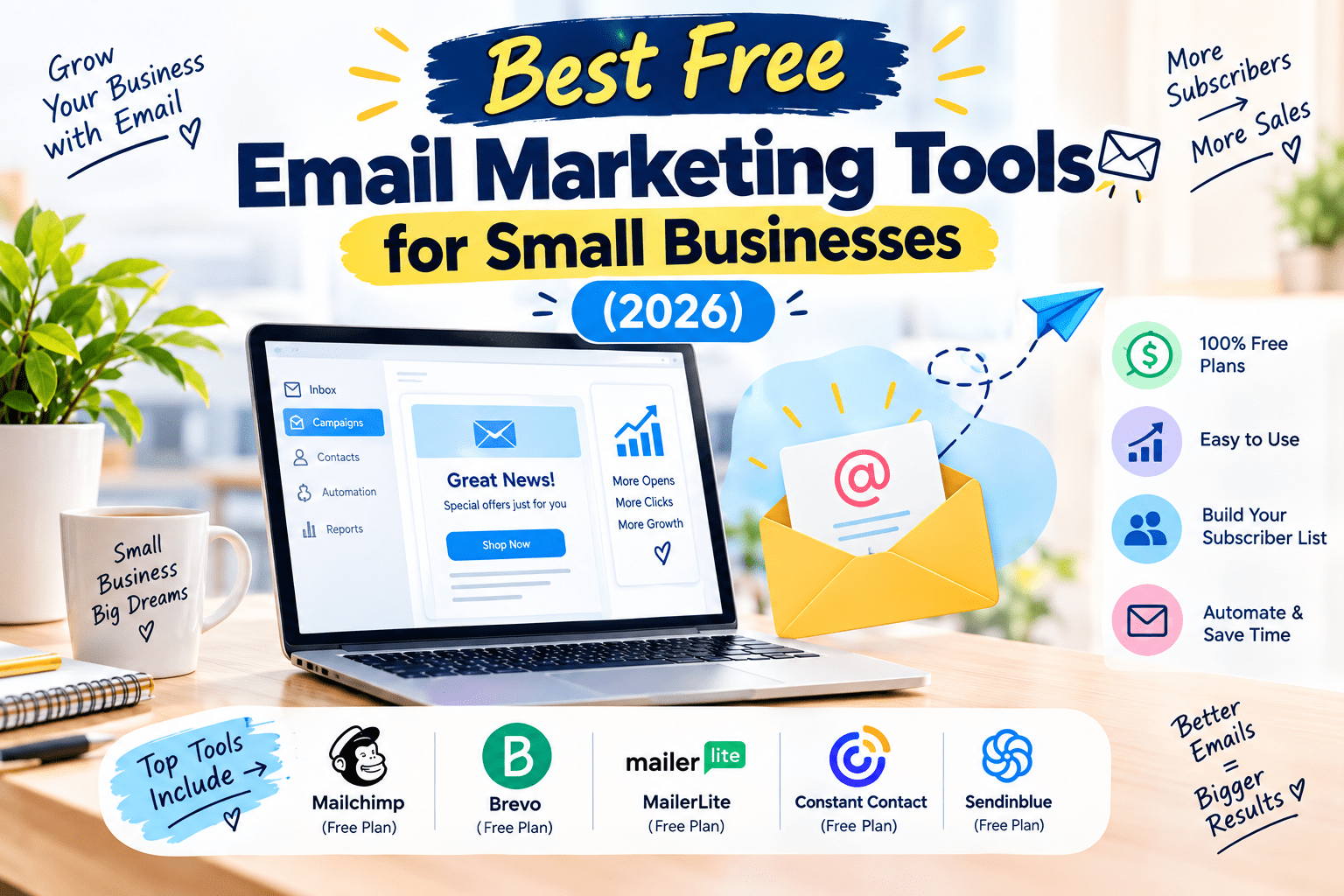
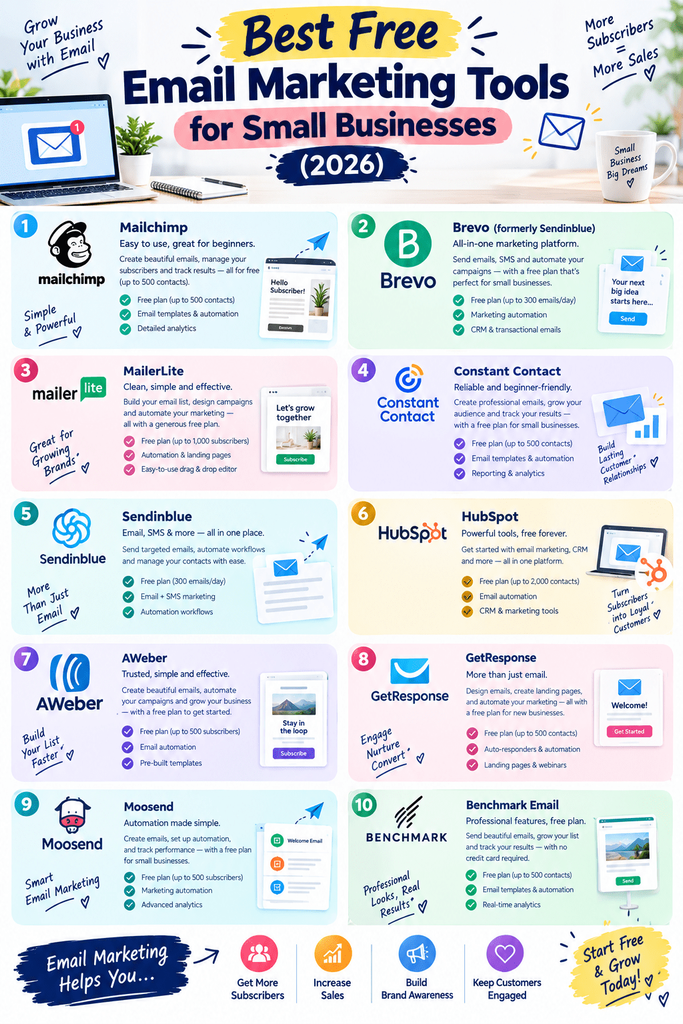
Best Free Email Marketing Tools (Reviewed)
1. Mailchimp
Features: Drag-and-drop email builder, basic automation, audience segmentation, landing pages. Pros: Beginner-friendly with a huge library of templates and integrations. Cons: Free plan caps contacts and monthly sends; pricing jumps noticeably at higher tiers. Price: Free up to a limited contact count; paid plans scale with list size. Best for: Beginners wanting an all-in-one, easy-to-learn platform.
2. Brevo (formerly Sendinblue)
Features: Email campaigns, SMS marketing, automation workflows, and a built-in CRM. Pros: Free plan allows unlimited contacts, with limits based on emails sent per day instead. Cons: Design templates are less polished compared to some competitors. Price: Free tier with daily send limits; paid plans remove daily caps. Best for: Businesses with a large contact list but a smaller sending volume.
3. MailerLite
Features: Clean drag-and-drop editor, automation builder, landing pages, and pop-up forms. Pros: Simple interface with a generous free tier for smaller lists. Cons: Advanced automation features are limited on the free plan. Price: Free up to a limited subscriber count. Best for: Small businesses wanting clean design without a learning curve.
4. HubSpot Email Marketing
Features: Email campaigns integrated with HubSpot’s free CRM, basic automation, and contact tracking. Pros: Strong choice if you also want a free CRM tied directly to your email tool. Cons: Interface can feel like overkill if you only need basic email sends. Price: Free tier with send limits; paid tiers unlock more automation. Best for: Businesses that want CRM and email combined in one dashboard.
5. Moosend
Features: Email automation, audience segmentation, and real-time analytics. Pros: Offers a free trial with access to most premium automation features. Cons: No permanent free tier — it’s trial-based rather than free-forever. Price: Free trial period, then paid plans by subscriber count. Best for: Businesses wanting to test advanced automation before committing.
6. Omnisend
Features: Built specifically for e-commerce, with email and SMS automation, cart abandonment flows, and Shopify/WooCommerce integration. Pros: Pre-built automation templates designed specifically for online stores. Cons: Free plan caps monthly email sends fairly low for active stores. Price: Free tier with limited sends; paid plans scale with volume. Best for: E-commerce businesses on Shopify or WooCommerce.
7. Benchmark Email
Features: Drag-and-drop builder, basic automation, and A/B testing on paid tiers. Pros: Easy-to-use interface that’s beginner-friendly. Cons: Free plan has a fairly low monthly send cap. Price: Free tier with limited contacts and sends. Best for: Very small businesses just starting their first newsletter.
8. Systeme.io
Features: Email marketing bundled with sales funnel building, landing pages, and course hosting. Pros: Genuinely useful free plan that includes more than just email. Cons: Email design tools are more basic than dedicated email platforms. Price: Free tier with reasonable limits; paid tiers scale up. Best for: Solopreneurs wanting email plus funnels in one free tool.
9. EngageBay
Features: Combines email marketing, CRM, and basic helpdesk tools into one platform. Pros: Good value if you want marketing and customer support tools together. Cons: Interface has a steeper learning curve than single-purpose tools. Price: Free tier available for small contact lists. Best for: Small teams wanting marketing and support combined.
10. Zoho Campaigns
Features: Email campaigns with automation, integrates tightly with other Zoho apps (CRM, Forms, Analytics). Pros: Great if you’re already using other Zoho products. Cons: Less intuitive if you’re not already in the Zoho ecosystem. Price: Free tier with limited subscribers and sends. Best for: Businesses already using Zoho’s suite of tools.
How to Choose the Right Tool
Factor 1: List Size vs. Send Frequency
Some tools cap you by total contacts (Mailchimp, MailerLite), others by emails sent per day or month (Brevo, Omnisend). Match this to your actual habits — a big list that emails rarely fits Brevo better than Mailchimp.
Factor 2: What You Actually Need Beyond Email
If you also need a CRM, landing pages, or SMS, tools like HubSpot, Systeme.io, or Omnisend save you from juggling multiple subscriptions.
Step-by-Step: How to Launch Your First Email Campaign
Step 1: Build Your List
Add a signup form to your website or social bio using your chosen tool’s form builder.
Step 2: Design Your First Email
Use a drag-and-drop template rather than starting from a blank page — it’s faster and keeps formatting consistent across email clients.
Step 3: Send, Track, and Improve
Send to a small segment first if possible, check your open and click rates, then adjust subject lines or send times for your next campaign.
Comparison Table
| Tool | Price | Best Feature | Rating |
|---|---|---|---|
| Mailchimp | Free (limited) / paid | Beginner-friendly builder | 4.4/5 |
| Brevo | Free (unlimited contacts) | Unlimited contact list | 4.5/5 |
| MailerLite | Free (limited) / paid | Clean, simple design | 4.6/5 |
| HubSpot | Free (limited) / paid | CRM integration | 4.4/5 |
| Moosend | Free trial | Advanced automation | 4.3/5 |
| Omnisend | Free (limited) / paid | E-commerce automation | 4.5/5 |
| Benchmark | Free (limited) | Easy setup | 4.0/5 |
| Systeme.io | Free (limited) / paid | Funnels + email combo | 4.3/5 |
| EngageBay | Free (limited) | CRM + support tools | 4.2/5 |
| Zoho Campaigns | Free (limited) | Zoho ecosystem integration | 4.1/5 |
Common Mistakes to Avoid
- Ignoring deliverability basics. Skipping domain authentication (SPF/DKIM setup) can send your emails straight to spam.
- Buying email lists. This tanks your sender reputation fast and often violates a platform’s terms of service.
- Sending without segmentation. Blasting your entire list the same message reduces engagement compared to targeted sends.
- Not testing subject lines. Small wording changes can significantly change open rates — most tools support basic A/B testing.
Pros and Cons Summary
Pros: Free tiers make it accessible for brand-new businesses, most tools include drag-and-drop design with no coding needed, automation saves time on repetitive tasks like welcome emails, direct channel that isn’t controlled by a social algorithm.
Cons: Free tiers cap either contacts or sends, sometimes both, advanced automation is usually gated behind paid plans, deliverability setup can be technical for non-tech-savvy users, switching tools later can mean re-building templates and automations from scratch.
Conclusion
You don’t need a big budget to start building a real relationship with your customers through email. Whether you’re just capturing your first ten subscribers or managing a growing list, one of the free tools above will fit your starting point. Pick one, set up a simple welcome email, and start building a list you actually own — no algorithm required.