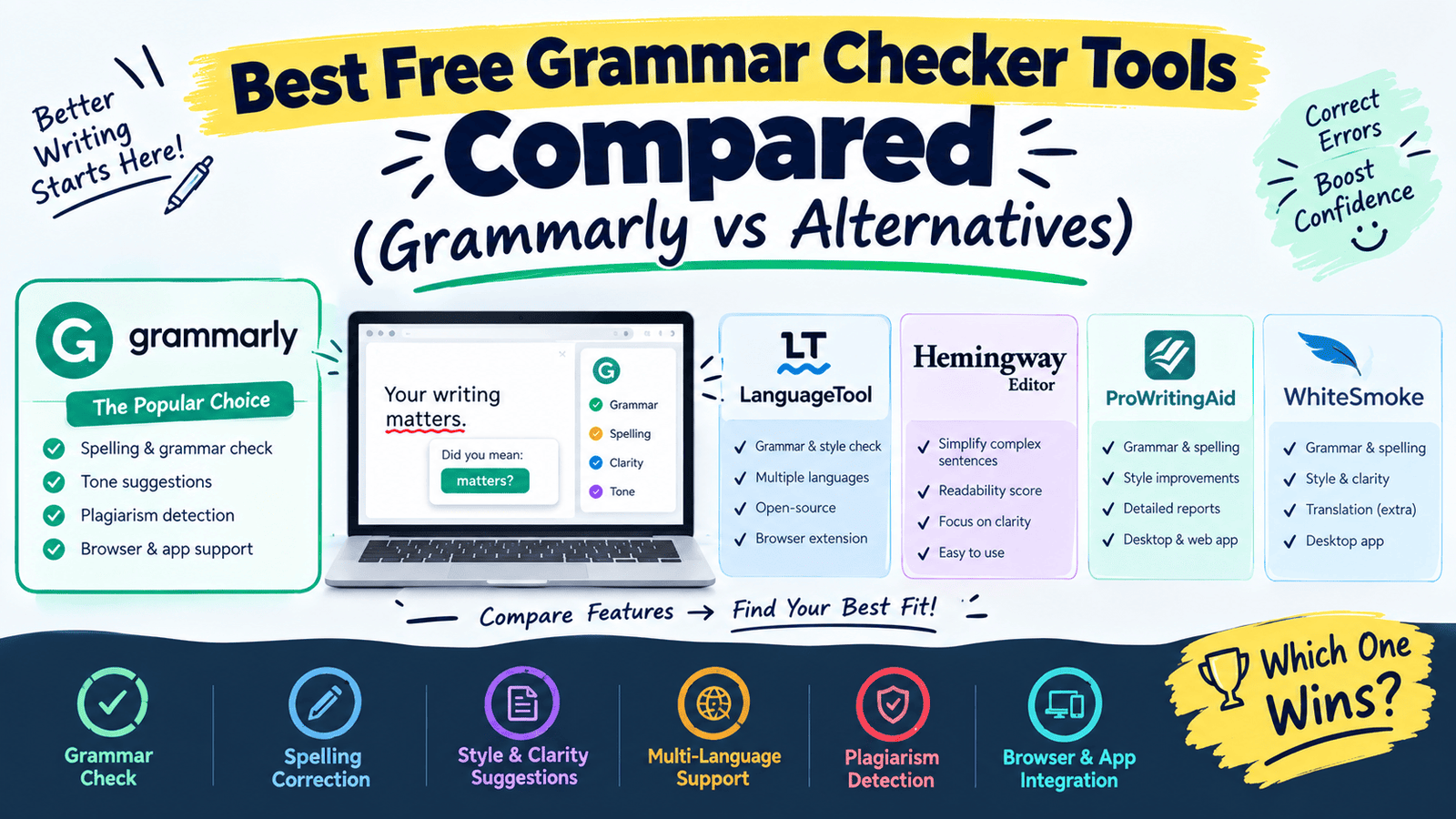
Grammarly has become almost synonymous with “grammar checker,” but it’s far from the only option — and it isn’t always the best fit depending on what you’re writing and how much you want to pay. A student polishing an essay has different needs than a marketer refining ad copy or a non-native speaker double-checking an important email.
I’ve used several of these tools across different types of writing, and the differences show up more in tone-detection and integration than in basic spelling and grammar accuracy. Here’s an honest comparison of Grammarly against its best free alternatives, so you can pick the one that actually fits your writing habits.
What is a Grammar Checker Tool?
A grammar checker tool scans your writing for spelling errors, grammatical mistakes, punctuation issues, and sometimes tone or clarity problems. Most modern tools use AI to go beyond simple spell-check, suggesting rewrites that improve how a sentence reads overall.
For example, instead of just flagging “their” versus “there,” a good grammar checker also suggests rephrasing a wordy sentence into something clearer and more direct.
Why Grammar Checkers Matter in 2026
Current Trend or Statistic
Written communication happens constantly now — emails, social posts, reports, client messages — and small grammar mistakes can undermine credibility surprisingly fast, especially in professional settings. Grammar checkers have evolved from simple spell-checkers into full writing assistants that catch tone mismatches and awkward phrasing, not just typos.
Who Benefits and How
- Students catch mistakes before submitting essays and assignments.
- Non-native English speakers build confidence in professional or academic writing.
- Freelancers and marketers maintain a polished, consistent tone across client work.
- Anyone sending important emails avoids embarrassing typos in high-stakes messages.
Best Grammar Checker Tools (Reviewed)
1. Grammarly
Features: Grammar, spelling, tone detection, and AI-powered rewrite suggestions across nearly every app. Pros: Works almost everywhere you type — browser, email, docs, social media. Cons: Free version skips advanced tone and plagiarism detection. Price: Free tier available. Best for: All-around writing help across multiple platforms.
2. ProWritingAid
Features: In-depth writing reports covering style, readability, and repetitive phrasing. Pros: More detailed style analysis than most competitors, great for longer content. Cons: Interface can feel dense with so many report categories. Price: Free tier available. Best for: Writers working on longer pieces like blog posts or manuscripts.
3. Hemingway Editor
Features: Readability scoring that flags overly complex sentences and passive voice. Pros: Forces punchier, clearer writing rather than just fixing grammar. Cons: Doesn’t check spelling or grammar as thoroughly as dedicated checkers. Price: Free (web version). Best for: Simplifying and tightening already-written drafts.
4. LanguageTool
Features: Grammar and style checking supporting over 20 languages. Pros: Genuinely useful for multilingual writers, not just English. Cons: Tone detection isn’t as refined as Grammarly’s. Price: Free tier available. Best for: Writers working across multiple languages.
5. Microsoft Editor
Features: Grammar and clarity checking integrated into Word and Outlook. Pros: Convenient if you already work inside Microsoft Office. Cons: Less powerful outside the Microsoft ecosystem. Price: Free tier available. Best for: Users already writing inside Word or Outlook daily.
6. Ginger
Features: Grammar checking with a built-in translator and text-to-speech feature. Pros: Useful extra features for non-native speakers checking pronunciation. Cons: Grammar suggestions are less nuanced than Grammarly’s. Price: Free tier available. Best for: Non-native speakers wanting translation alongside grammar checks.
7. Google Docs Spelling & Grammar
Features: Built-in spelling and basic grammar checking inside Google Docs. Pros: No extra install needed if you already write in Docs. Cons: Far less sophisticated than dedicated grammar tools. Price: Free. Best for: Quick, basic checks without installing another tool.
How to Choose the Right Tool
Factor 1: Where do you write most often?
If you write across many platforms, Grammarly’s browser extension covers the most ground. If you live inside Word or Docs, the built-in checkers might be enough on their own.
Factor 2: How deep do you need the analysis?
For serious editing on longer content, ProWritingAid’s detailed reports go further than a quick grammar pass. For simplifying clunky sentences, Hemingway Editor is more specialized and effective.
Step-by-Step: How to Use a Grammar Checker Effectively
Step 1: Write your draft without stopping to edit
Get your ideas down first — editing while writing slows down your thinking.
Step 2: Run it through a grammar checker
Review each suggestion rather than accepting all changes blindly — not every suggestion fits your intended tone.
Step 3: Read it aloud one final time
Grammar tools catch a lot, but reading aloud still catches awkward phrasing they might miss.
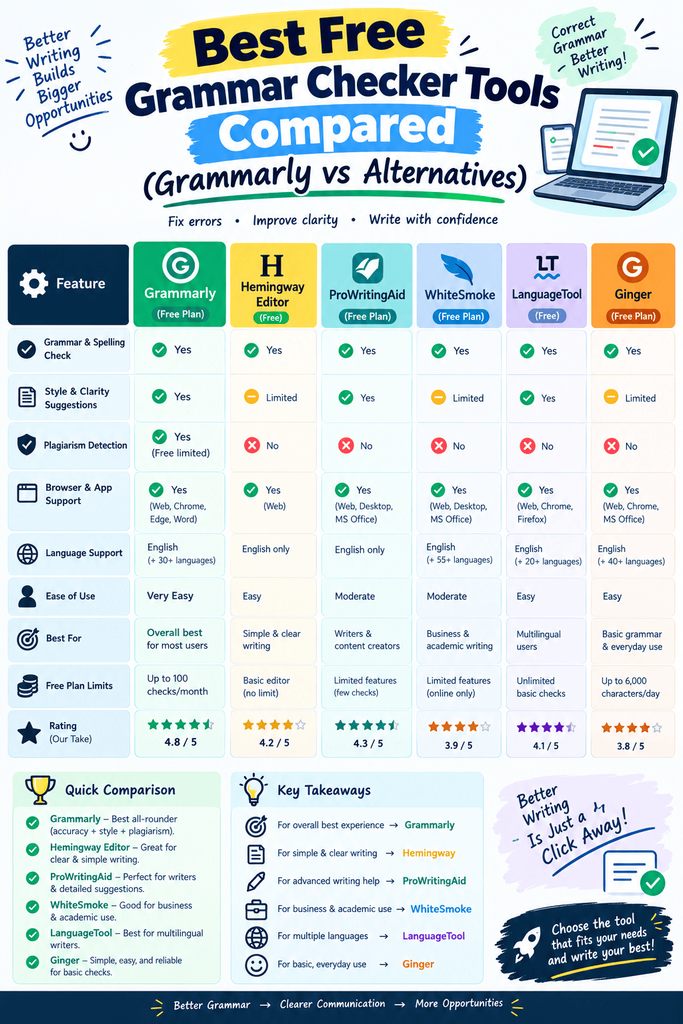
Comparison Table
| Tool | Price | Best Feature | Rating |
|---|---|---|---|
| Grammarly | Free / Paid | Cross-platform coverage | 4.6/5 |
| ProWritingAid | Free / Paid | Detailed style reports | 4.5/5 |
| Hemingway Editor | Free | Readability & clarity | 4.4/5 |
| LanguageTool | Free / Paid | Multilingual support | 4.3/5 |
| Microsoft Editor | Free / Paid | Office integration | 4.2/5 |
| Ginger | Free / Paid | Translation + grammar | 4.1/5 |
Common Mistakes to Avoid
- Accepting every suggestion automatically. Grammar tools sometimes flag stylistic choices that are actually intentional — review before accepting.
- Relying on one tool for everything. Combining a grammar checker with a readability tool like Hemingway often produces cleaner writing than either alone.
- Skipping a final human read-through. No tool catches everything — a final read always helps.
Pros and Cons Summary
Pros: Catches mistakes quickly, improves clarity and tone, and most tools offer a genuinely useful free tier. Cons: Free versions often skip advanced tone or plagiarism detection, and over-reliance can weaken your own editing instincts over time.
Conclusion
Grammarly is a solid all-around choice, but it’s not automatically the best fit for everyone. ProWritingAid suits longer-form writers, Hemingway Editor sharpens clarity, and LanguageTool covers multilingual needs better than most alternatives. Try two or three against your own writing to see which one actually improves your work.