A few years ago, “chatbot” meant a frustrating customer service widget that couldn’t understand basic questions. Now it means something people actually turn to for research, brainstorming, coding help, and even casual conversation. The shift has been fast, and the free options have gotten genuinely good.
I use a couple of these daily — one for quick research questions, another for drafting and brainstorming. They’re not interchangeable, even though they look similar on the surface. Here’s a look at the best free AI chatbots available right now, what each one does particularly well, and how to figure out which one actually fits your needs.
What is an AI Chatbot?
An AI chatbot is a conversational tool powered by a language model that responds to text (and sometimes voice) input in a natural, back-and-forth way. Unlike older rule-based chatbots, modern AI chatbots understand context across a conversation and can handle open-ended questions.
For example, instead of searching multiple websites to understand a complex topic, you can ask an AI chatbot directly and follow up with clarifying questions the way you would with a knowledgeable friend.
Why AI Chatbots Matter in 2026
Current Trend or Statistic
AI chatbots have moved from novelty status into everyday tools used for research, writing, coding, and problem-solving across nearly every profession. Free tiers have also become more capable, offering enough functionality for most casual and even professional use cases without requiring a paid subscription.
Who Benefits and How
- Students get help understanding difficult concepts or brainstorming essay ideas.
- Professionals speed up research, drafting, and problem-solving tasks.
- Developers debug code and get quick explanations of unfamiliar concepts.
- Everyday users get quick answers without digging through multiple search results.
Best Free AI Chatbots (Reviewed)
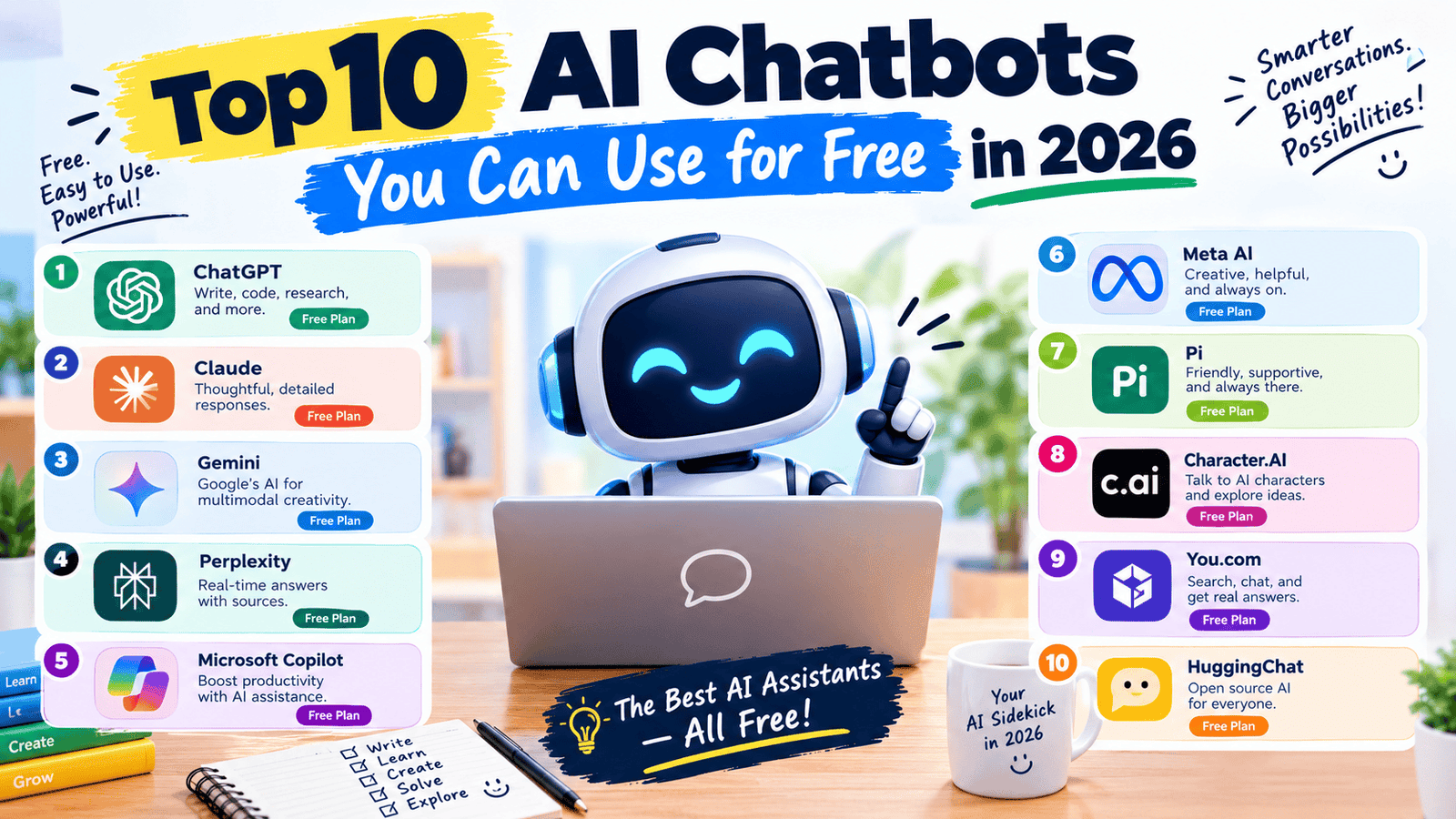
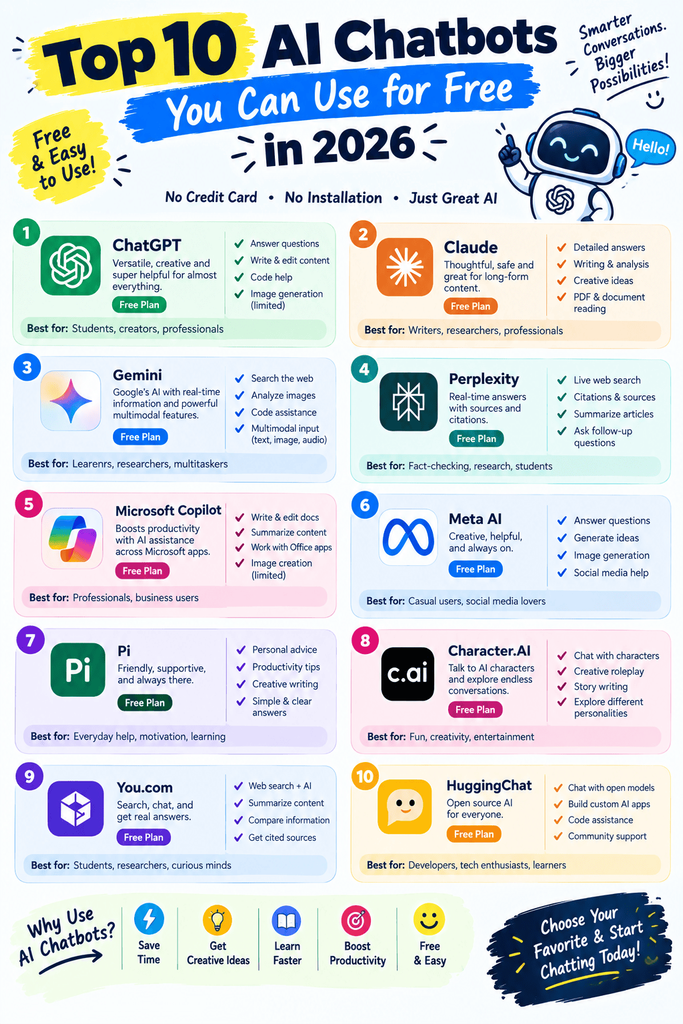
1. ChatGPT
Features: General-purpose conversational AI for writing, research, coding, and brainstorming. Pros: Extremely versatile, large knowledge base, natural conversation flow. Cons: Free tier has usage limits during high-demand periods. Price: Free tier available. Best for: All-around use across nearly any topic or task.
2. Google Gemini
Features: Conversational AI integrated with Google Search and Workspace. Pros: Strong integration with Gmail, Docs, and Google Search results. Cons: Some advanced features require a Google One AI subscription. Price: Free tier available. Best for: Users already embedded in the Google ecosystem.
3. Microsoft Copilot
Features: AI assistant integrated into Windows, Edge, and Microsoft 365. Pros: No extra install needed on Windows devices. Cons: Less customizable than standalone chatbot apps. Price: Free. Best for: Quick everyday tasks without leaving your desktop.
4. Claude
Features: Conversational AI known for thoughtful, detailed responses and strong writing assistance. Pros: Particularly strong at nuanced writing and careful reasoning. Cons: Free tier has message limits that reset periodically. Price: Free tier available. Best for: Writing-heavy tasks and detailed, thoughtful responses.
5. Perplexity AI
Features: AI chatbot that answers questions with cited sources. Pros: Great for research since answers link back to where information came from. Cons: Less conversational than pure chatbots for casual use. Price: Free tier available. Best for: Research tasks where source verification matters.
6. Meta AI
Features: Conversational AI integrated across Instagram, WhatsApp, and Facebook. Pros: Convenient if you already use Meta’s platforms daily. Cons: Less specialized for professional or technical tasks. Price: Free. Best for: Casual conversation and quick questions within Meta apps.
7. Character.AI
Features: Chatbot platform focused on roleplay and personality-driven conversations. Pros: Fun for creative writing and interactive storytelling. Cons: Not designed for factual research or professional tasks. Price: Free tier available. Best for: Creative writing and casual, personality-driven chats.
8. Pi by Inflection AI
Features: Conversational AI designed to feel more personal and supportive in tone. Pros: Friendly, approachable conversation style. Cons: Less capable for technical or highly factual tasks compared to competitors. Price: Free. Best for: Casual, supportive conversation rather than technical research.
9. Poe by Quora
Features: A platform that lets you access multiple AI chatbots (including ChatGPT and Claude) in one place. Pros: Convenient for comparing responses from different models side by side. Cons: Free access to premium models is limited compared to using them directly. Price: Free tier available. Best for: Comparing multiple AI chatbots without juggling separate apps.
10. DeepSeek
Features: Conversational AI with strong performance on reasoning and coding tasks. Pros: Free access to capable reasoning models. Cons: Less polished interface compared to more established competitors. Price: Free. Best for: Coding help and logic-heavy problem-solving.
How to Choose the Right Tool
Factor 1: What’s your primary use case?
Research-heavy tasks favor Perplexity’s cited answers, writing-heavy tasks favor Claude or ChatGPT, and casual chatting favors Pi or Character.AI.
Factor 2: Where do you want it integrated?
If you’re already inside Google Workspace or Microsoft 365, the built-in assistants (Gemini or Copilot) save you from switching apps constantly.
Step-by-Step: How to Get the Most Out of an AI Chatbot
Step 1: Be specific with your first message
Include context and what you want as an outcome, not just a vague question.
Step 2: Follow up and refine
Treat it like a conversation — ask clarifying questions or request a different angle if the first response isn’t quite right.
Step 3: Verify important facts independently
Especially for anything factual or high-stakes, double-check critical details rather than assuming the chatbot is always correct.
Comparison Table
| Tool | Price | Best Feature | Rating |
|---|---|---|---|
| ChatGPT | Free / Paid | Versatile, all-around use | 4.7/5 |
| Google Gemini | Free / Paid | Google Workspace integration | 4.5/5 |
| Microsoft Copilot | Free | Built into Windows & Office | 4.4/5 |
| Claude | Free / Paid | Thoughtful, detailed writing | 4.6/5 |
| Perplexity AI | Free / Paid | Cited research answers | 4.5/5 |
| Poe by Quora | Free / Paid | Multiple chatbots in one place | 4.3/5 |
Common Mistakes to Avoid
- Trusting every answer without verification. Chatbots can be confidently wrong — always double-check important facts.
- Using one chatbot for everything. Different tools have different strengths; matching the tool to the task gets better results.
- Writing vague, one-line prompts. More context and detail in your question leads to noticeably better responses.
Pros and Cons Summary
Pros: Fast answers on almost any topic, free tiers are genuinely usable, and options exist for research, writing, coding, and casual conversation. Cons: Free usage limits can interrupt longer sessions, and factual accuracy still requires independent verification.
Conclusion
Free AI chatbots in 2026 cover an impressive range of needs, from research and writing to coding help and casual conversation. The best choice depends on what you’re actually trying to do — there’s no single winner for every use case. Try two or three from this list against your typical questions and see which one fits your workflow best.