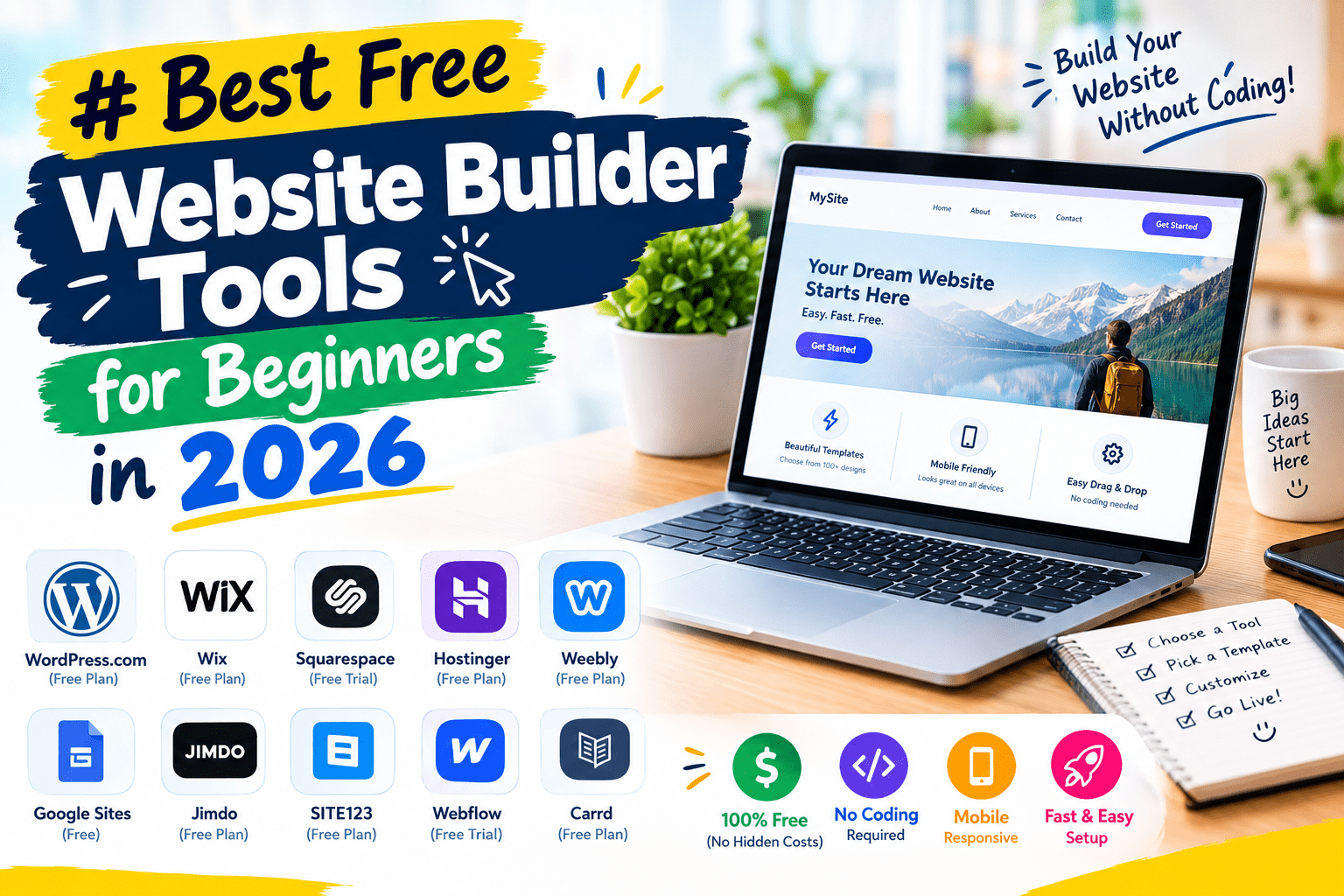
Building a website used to mean either learning to code or paying a developer a few thousand dollars. Neither of those is necessary anymore. Modern website builders let you drag, drop, and click your way to a working site in an afternoon — no HTML required — and several of them let you start for free.
The word “free” gets used loosely in this space, though. Some builders genuinely let you launch a working site at no cost forever. Others call something a “free plan” when it’s really a 14-day trial in disguise. This guide breaks down the best website builders for beginners in 2026, what’s actually free versus what isn’t, and how to pick the right one for your project.
What Is a Website Builder?
A website builder is a tool that lets you create a website using a visual, drag-and-drop editor instead of writing code from scratch. You pick a template, customize the layout, add your own text and images, and publish — all through a browser-based interface.
For example, someone starting a small photography business might choose a template designed for portfolios, drag their photos into a gallery layout, and have a live, mobile-friendly website within a couple of hours.
Why Website Builders Matter in 2026
AI Has Made Building Even Faster
Most major platforms now include AI tools that generate a full site structure, layout, and even starter copy from a short description of your business — cutting the initial setup time down dramatically compared to building everything from a blank template.
Who Uses Website Builders
- Small business owners who need a professional site without hiring a developer
- Freelancers and creatives building portfolios to showcase their work
- Bloggers who want a simple platform to start publishing quickly
- Hobbyists and side-project creators who just need a single landing page or link-in-bio site
Best Free Website Builder Tools (Reviewed)
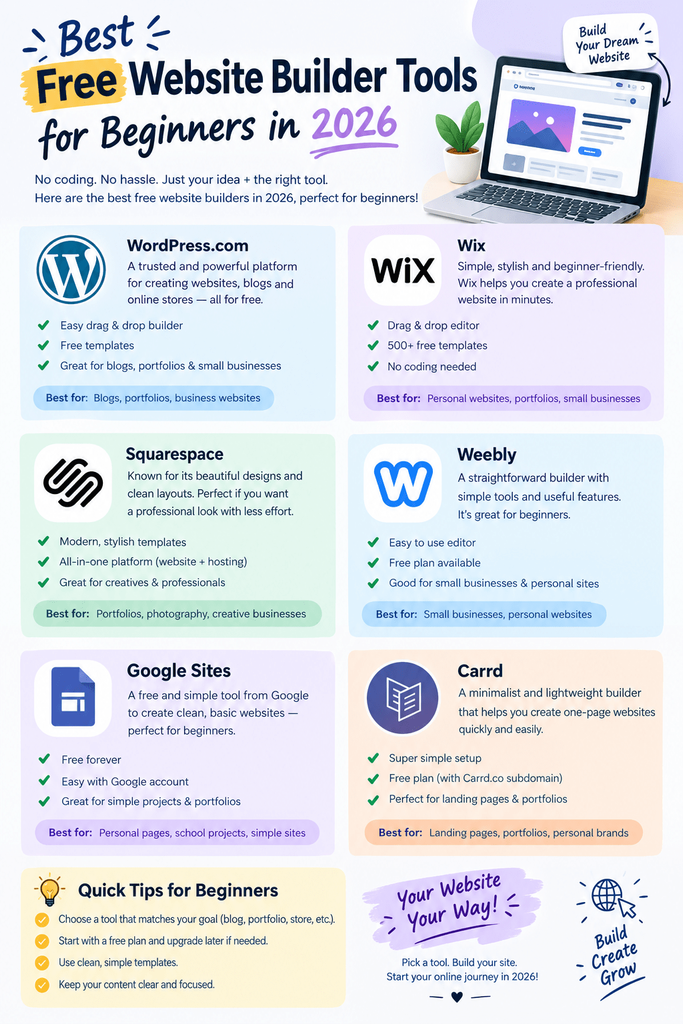
1. Wix
Price: Genuinely free plan available (Wix branding, subdomain, 500MB storage); paid plans roughly $17–299/month Wix is widely regarded as the most usable truly-free website builder available — you can build and publish a full site with no time limit, though you’ll keep Wix’s branding and a wix.com subdomain until you upgrade.
- Pros: Free plan has no expiration date, huge template library (2,000+), strong AI site-builder tool for fast setup
- Cons: Free plan includes ads and a Wix subdomain; no ecommerce on the free tier
- Best for: Beginners who want the most flexibility and features without paying anything to get started
2. Squarespace
Price: No genuinely free tier — 14-day free trial only; paid plans from about $16–99/month Squarespace is often praised as the most beautiful, design-forward builder available, but it’s worth knowing upfront that its “free” plan is really just a trial that expires.
- Pros: Stunning, award-winning templates, strong built-in marketing and SEO tools, excellent for creative and visual businesses
- Cons: Site goes offline once your trial ends unless you subscribe; higher starting price than Wix or Hostinger
- Best for: Creatives and small businesses that prioritize polished design and are ready to pay from day one
3. WordPress.com
Price: Free plan available (with WordPress.com branding and subdomain); paid Personal plan around $4/user/month, scaling up from there WordPress.com (the hosted service, distinct from self-hosted WordPress.org) offers a genuine free tier, and it’s the best long-term option here if blogging and SEO are your main priorities.
- Pros: Free tier available, best-in-class blogging tools, huge plugin and theme ecosystem once you upgrade
- Cons: Free plan is fairly limited and carries WordPress branding; more of a learning curve than Wix or Squarespace
- Best for: Bloggers and content-focused sites planning to grow and eventually self-host
4. Google Sites
Price: Completely free, no ads, no time limit Google Sites is a genuinely no-catch free option — no ads, a clean (if less flashy) subdomain, and no upgrade pressure, since Google isn’t trying to sell you a premium plan.
- Pros: Completely free with no ads, simple and fast to use, integrates naturally with Google Workspace
- Cons: Very limited design flexibility compared to Wix or Squarespace; not suited for anything beyond a simple informational site
- Best for: Simple internal tools, informational pages, or quick personal sites where design flexibility isn’t a priority
5. Carrd
Price: Free plan available for a single simple site; paid Pro plans start around $9–19/year Carrd specializes in single-page sites — landing pages, link-in-bio pages, simple portfolios — and does that one job better and more cleanly than general-purpose builders.
- Pros: Extremely affordable paid tier, clean and fast single-page designs, easy for absolute beginners
- Cons: Not built for multi-page websites or anything complex
- Best for: Link-in-bio pages, simple landing pages, or a quick personal one-pager
6. Weebly
Price: Limited free plan available; paid plans in a similar range to Wix Weebly (owned by Square) offers a free tier, though it’s more restrictive than Wix’s — worth trying if you want a simpler editor, but don’t expect the same feature depth.
- Pros: Simple, beginner-friendly editor; decent free tier for very basic sites
- Cons: Feature set and template variety lag behind Wix and Squarespace
- Best for: Very simple personal sites where ease of use matters more than design range
7. Hostinger Website Builder
Price: No permanent free tier, but the cheapest paid plans start around $2.99/month Hostinger isn’t free, but it’s consistently cited as the cheapest genuinely capable paid option, plus it includes a strong suite of AI tools to speed up setup.
- Pros: Very low starting price, AI tools for layout and copy generation, solid hosting performance included
- Cons: No lasting free plan to test the platform first
- Best for: Budget-conscious beginners who are ready to pay a small amount from the start
8. Shopify
Price: No free tier — plans start around $39/month (Basic) Shopify isn’t aimed at general websites; it’s purpose-built for ecommerce. If you’re planning to sell physical or digital products, it’s worth the higher starting cost compared to general builders.
- Pros: Best-in-class ecommerce tools, scales well from a single product to a large storefront, strong app ecosystem
- Cons: More expensive than general-purpose builders; overkill if you’re not actually selling products
- Best for: Anyone whose primary goal is selling products online, not just having an informational website
9. Webflow
Price: Free plan available for building and testing (Webflow subdomain, limited); paid plans required to connect a custom domain Webflow sits between a beginner builder and a professional design tool — more powerful and precise than Wix, but with a steeper learning curve to match.
- Pros: Very high design precision and control, strong for CMS-driven sites, free plan lets you build and preview before paying
- Cons: Noticeably harder to learn than Wix or Squarespace; better suited to designers than total beginners
- Best for: Designers or agencies who want more control than typical drag-and-drop builders allow
10. Durable
Price: Free trial available; paid plans required for ongoing use Durable’s whole pitch is speed — its AI tool can generate a complete starter website, including copy and layout, in around 30 seconds from a short business description.
- Pros: Extremely fast initial setup via AI, good for getting a basic site live almost instantly
- Cons: Limited long-term customization compared to more established builders
- Best for: Business owners who want the fastest possible path to a live, basic website
How to Choose the Right Tool
Factor 1: What “Free” Actually Means to You
If you genuinely need to build something for free with no expiration, narrow your options to Wix, WordPress.com, Google Sites, or Carrd’s free tier. If you’re fine paying a small amount once you’ve validated your idea, Squarespace’s trial and Hostinger’s low-cost plans open up more design options.
Factor 2: What Kind of Site You’re Building
A single landing page or link-in-bio doesn’t need Wix’s full feature set — Carrd will do it faster and cleaner. A blog benefits most from WordPress’s publishing tools. An online store needs Shopify’s ecommerce-specific features rather than a general builder retrofitted for selling.
Step-by-Step: How to Build Your First Website
Step 1: Choose a Platform Based on Your Goal
Match the builder to your actual use case rather than picking the most popular name — a portfolio, a blog, and a store all favor different tools, as covered above.
Step 2: Pick a Template and Customize It
Choose a template close to your desired layout rather than starting from a blank canvas — it’s much faster to rearrange an existing structure than to build one from nothing.
Step 3: Add Your Content and Connect a Domain
Fill in your real text and images, then connect a custom domain if your plan supports it — a proper domain name looks far more credible than a free subdomain once you’re ready to share your site publicly.
Comparison Table
| Tool | Price | Best Feature | Rating |
|---|---|---|---|
| Wix | Free–$299/mo | Most usable genuinely-free plan | 4.7/5 |
| Squarespace | Trial only–$99/mo | Best-in-class design templates | 4.6/5 |
| WordPress.com | Free–paid tiers | Best blogging and SEO tools | 4.4/5 |
| Google Sites | Free | Completely free, no ads | 4.0/5 |
| Carrd | Free–$9-19/yr | Best for single-page sites | 4.5/5 |
| Weebly | Free (limited)–paid | Simple beginner-friendly editor | 4.0/5 |
| Hostinger | No free tier–$2.99/mo+ | Cheapest capable paid option | 4.3/5 |
| Shopify | No free tier–$39/mo+ | Best-in-class ecommerce tools | 4.5/5 |
| Webflow | Free (build only)–paid | Most design precision and control | 4.3/5 |
| Durable | Trial–paid | Fastest AI-generated starter site | 4.0/5 |
Common Mistakes to Avoid
- Assuming “free trial” means “free plan.” Squarespace’s free tier is a 14-day trial, not a permanent option — check the fine print before building your whole site there.
- Choosing based on template looks alone. A gorgeous template doesn’t matter if the platform can’t handle what you actually need (ecommerce, blogging, forms).
- Overbuilding before validating your idea. Start simple; you can always add pages and features once you know the site is worth investing more time into.
- Ignoring mobile responsiveness. Always preview your site on a phone-sized screen before publishing — most builders handle this automatically, but it’s worth double-checking.
- Forgetting to plan for a custom domain. A free subdomain looks unprofessional for a real business; budget for a domain name even if the builder itself is free.
Pros and Cons Summary
Pros of using a website builder:
- No coding knowledge required
- Fast to launch, often in a single sitting
- Genuinely free options exist for basic needs
- AI tools now speed up initial setup significantly
Cons to keep in mind:
- Free plans usually include ads, branding, or a subdomain
- Less flexibility than custom-coded sites for very specific needs
- Switching platforms later often means rebuilding from scratch
- Ecommerce and advanced features typically require a paid plan
Conclusion
You don’t need coding skills or a big budget to get a professional-looking website live today. If you want a genuinely free starting point, Wix, WordPress.com, or Google Sites will get you there. If you’re ready to invest a little and want the best design quality, Squarespace and Hostinger are both worth considering.