Ever submitted an assignment or published a blog post, only to second-guess yourself afterward — “did I accidentally phrase that too close to the source I read?” Unintentional plagiarism happens more often than people think, especially when you’re researching a topic and paraphrasing multiple sources at once. The fix isn’t just being careful; it’s running your work through a proper plagiarism checker before you hit submit or publish.
This guide compares the best free plagiarism checker tools available right now, what makes each one different, and how to pick the right one depending on whether you’re a student, blogger, or content creator.
What Is a Plagiarism Checker?
A plagiarism checker is a tool that scans your text against a massive database of published content — websites, academic papers, and books — to flag any matching or closely similar phrasing. For example, a student who paraphrased a journal article a little too closely might not realize it until a plagiarism checker highlights the overlapping sentence structure, giving them a chance to rewrite it before submission.
Why Plagiarism Checking Matters in 2026
AI-Assisted Writing Has Raised the Stakes
With more writers using AI tools to draft content, plagiarism checking has become even more important — not because AI directly copies text, but because it’s easy to accidentally publish phrasing that’s too close to existing sources if you don’t do a proper editing pass. Many plagiarism checkers now pair directly with AI-detection features for this reason.
Who Benefits Most
Students use it to check essays and research papers before submission. Bloggers and content marketers use it to protect their site’s SEO, since search engines can penalize duplicate content. Freelance writers use it to prove originality to clients before delivering work.
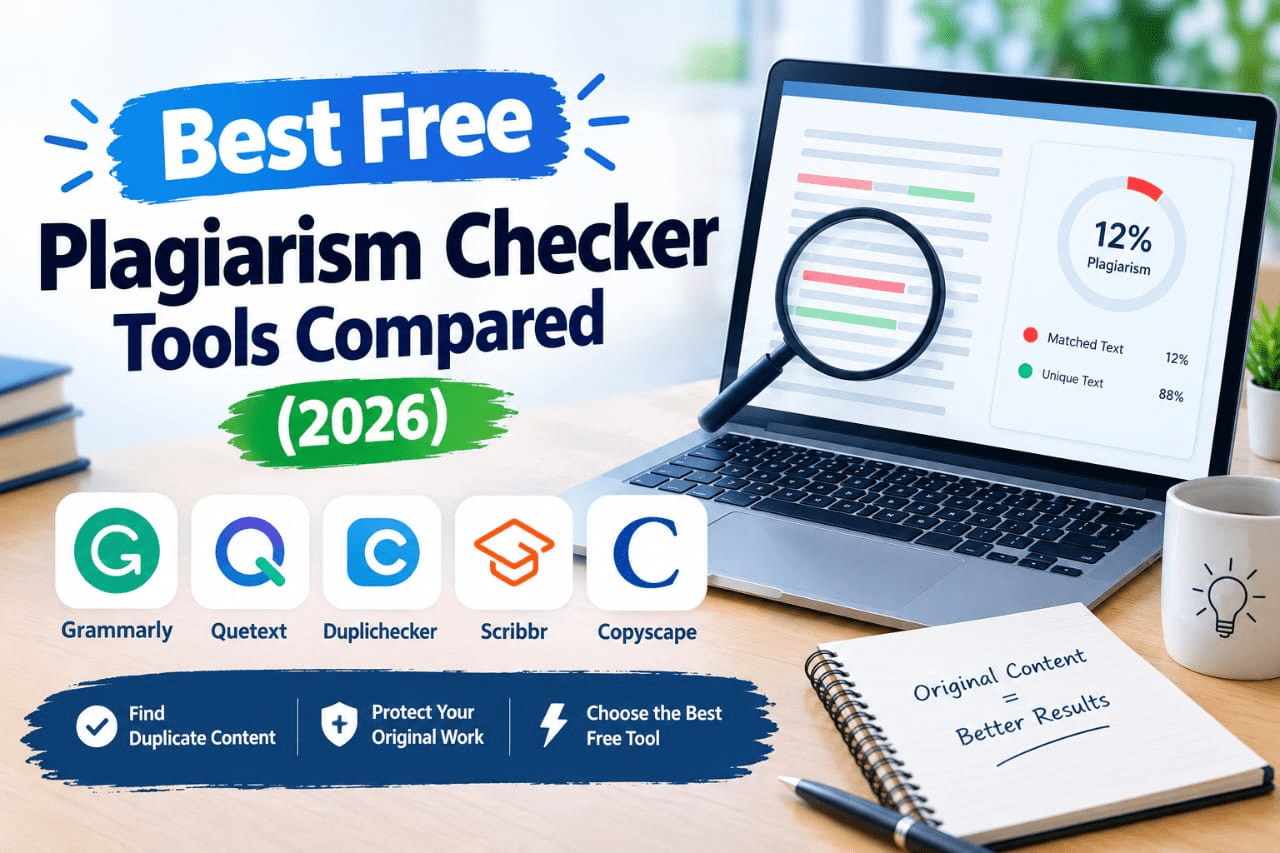
Best Free Plagiarism Checker Tools (Reviewed)
1. Quetext
Features: DeepSearch technology that checks paraphrased content, not just exact matches, with a color-coded results report. Pros: Strong at catching reworded plagiarism, not just copy-pasted text. Cons: Free plan limits the number of monthly searches. Price: Free tier with limited word count; paid plans for higher volume. Best for: Catching paraphrased plagiarism, not just exact copies.
2. Grammarly Plagiarism Checker
Features: Checks text against billions of web pages and academic papers, integrated with Grammarly’s grammar and tone tools. Pros: Convenient if you’re already using Grammarly for editing. Cons: Full plagiarism checking is a Premium feature, not part of the free tier. Price: Requires Grammarly Premium (around $12/month). Best for: Users who want plagiarism checking alongside grammar and style feedback.
3. Copyscape (Free Search)
Features: Scans the web for pages matching your content, widely used by website owners to detect content theft. Pros: Well-established tool, especially trusted for checking if your own content has been copied elsewhere. Cons: The free version has limited functionality compared to the paid “Copyscape Premium.” Price: Free basic search; paid plans for detailed reports and batch checking. Best for: Website owners checking if their published content has been duplicated elsewhere.
4. Small SEO Tools Plagiarism Checker
Features: Simple copy-paste or file-upload checker with quick percentage-based originality scores. Pros: No sign-up required for basic checks, very beginner-friendly. Cons: Word count limits per check are fairly restrictive on the free version. Price: Free with word limits; premium tier increases limits. Best for: Quick, no-signup checks on shorter pieces of text.
5. Duplichecker
Features: Plagiarism scanning plus a small suite of other writing tools (word counter, grammar checker). Pros: Useful bundle of tools beyond just plagiarism checking. Cons: Free version requires solving CAPTCHAs frequently and has daily check limits. Price: Free with daily limits; premium removes restrictions. Best for: Users who want several basic writing tools in one place.
6. PlagScan
Features: Academic-focused plagiarism detection with detailed similarity reports. Pros: Popular choice among universities and educators for grading integrity. Cons: Free tier is limited; full features generally require a paid or institutional account. Price: Limited free trial; paid plans for regular use. Best for: Academic institutions and instructors checking student submissions.
7. Originality.ai
Features: Combines plagiarism detection with AI-content detection in one scan. Pros: Especially useful for publishers who need to verify both originality and AI-generation status. Cons: No permanent free tier — pricing is pay-per-scan or subscription-based. Price: Paid, with a low per-scan cost. Best for: Publishers and agencies needing combined plagiarism + AI-detection reports.
8. Plagiarism Detector
Features: Scans text and documents (Word, PDF) for matching content across the web. Pros: Supports direct file uploads, not just copy-paste text. Cons: Free scans are limited in word count per check. Price: Free tier with limits; paid plans for more scans. Best for: Checking full documents rather than pasted text snippets.
9. Turnitin (via Institution Access)
Features: Industry-standard academic plagiarism detection, checks against a massive database of academic papers and student submissions. Pros: The most widely trusted tool in academic settings. Cons: Not available directly to individuals — access is usually only through a school or university account. Price: Free to students via institutional licensing; not sold directly to individuals. Best for: Students submitting work through a school that already provides Turnitin access.
10. Search Engine Reporting (Free Manual Method)
Features: Manually copying unique phrases into a search engine in quotation marks to check for exact matches. Pros: Completely free and works for quick spot-checks. Cons: Time-consuming and won’t catch paraphrased plagiarism the way dedicated tools can. Price: Free. Best for: Quick, informal spot-checks when you don’t need a full report.
How to Choose the Right Tool
Factor 1: Academic vs. Web Content Needs
Students should prioritize tools recognized by their institution (like Turnitin, if available) since instructors often specifically check against that database. Bloggers and marketers should prioritize tools like Copyscape that focus on web content duplication.
Factor 2: Paraphrased vs. Exact-Match Detection
If you’re worried about accidental close-paraphrasing (a common issue with AI-assisted writing), choose a tool like Quetext that specifically flags reworded similarities, not just word-for-word matches.
Step-by-Step: How to Run a Plagiarism Check
Step 1: Finalize Your Draft
Complete your writing and do a first editing pass before checking — running unfinished drafts wastes your free monthly checks.
Step 2: Run the Scan
Paste your text or upload your document into your chosen tool and run the scan.
Step 3: Review and Rewrite Flagged Sections
For any flagged sections, rewrite the phrasing in your own words rather than just swapping a few synonyms, then re-scan if the tool allows it.
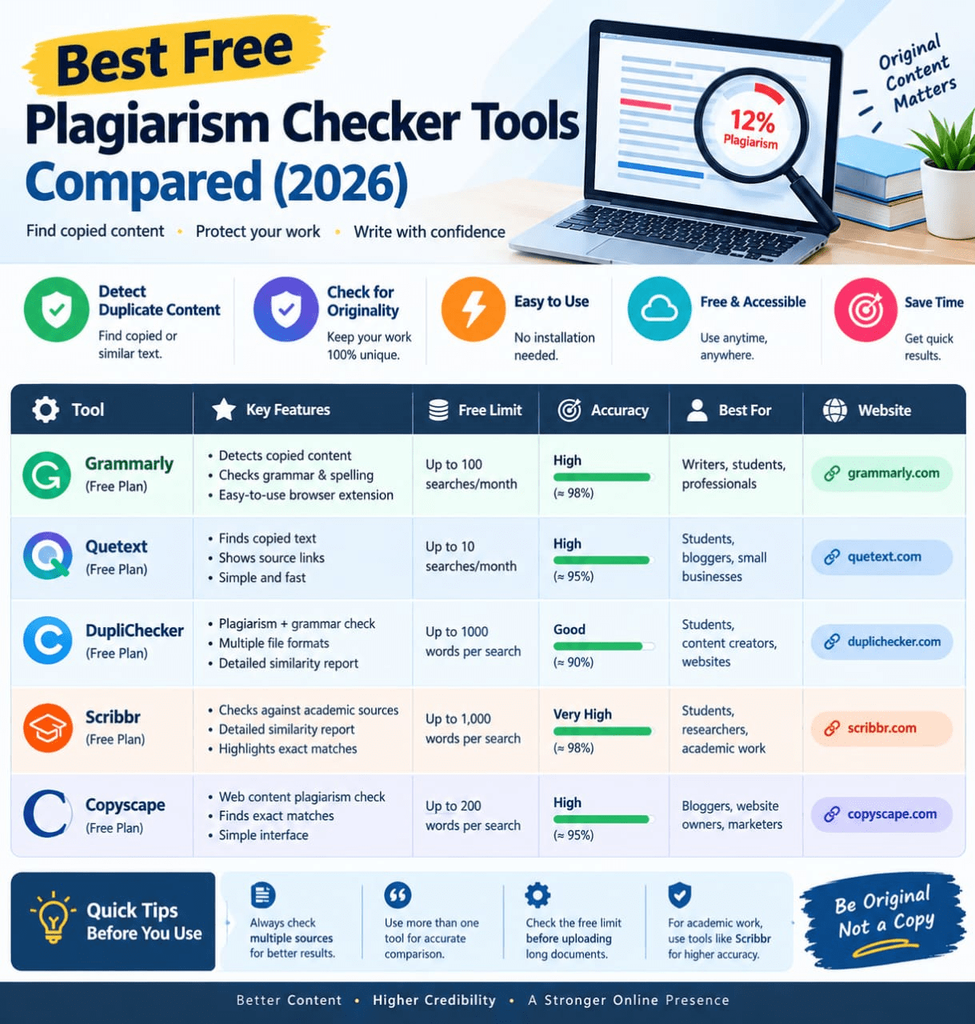
Comparison Table
| Tool | Price | Best Feature | Rating |
|---|---|---|---|
| Quetext | Free (limited) / paid | Paraphrase detection | 4.5/5 |
| Grammarly | Premium only | Combined with grammar tools | 4.6/5 |
| Copyscape | Free basic / paid | Web content duplication checks | 4.4/5 |
| Small SEO Tools | Free (limited) | No sign-up needed | 4.0/5 |
| Duplichecker | Free (limited) | Bundled writing tools | 3.9/5 |
| PlagScan | Limited trial / paid | Academic-focused reports | 4.2/5 |
| Originality.ai | Paid (per scan) | Plagiarism + AI detection | 4.5/5 |
| Plagiarism Detector | Free (limited) | Document file uploads | 4.0/5 |
| Turnitin | Free via school | Academic gold standard | 4.6/5 |
| Manual search method | Free | Zero-cost spot-checks | 3.5/5 |
Common Mistakes to Avoid
- Relying on only one tool. Different databases catch different matches, so a second check can reveal what the first missed.
- Ignoring paraphrased content. Word-for-word checkers can miss content that’s too closely reworded from a source — use a tool built for that specifically.
- Checking too early. Running a scan on an unfinished draft wastes your limited free checks; finish editing first.
- Assuming a low percentage means it’s fine. Always manually review flagged sections — some matches (like properly cited quotes) aren’t actually a problem, while others need rewriting.
Pros and Cons Summary
Pros: Free tiers are genuinely usable for occasional checks, protects both academic integrity and SEO rankings, most tools are fast — results in seconds to minutes, many tools now combine plagiarism and AI-detection in one scan.
Cons: Free tiers often cap word count or number of monthly scans, some of the strongest tools (Turnitin, Originality.ai) aren’t fully free to individuals, paraphrase detection varies significantly in accuracy between tools, results still require human judgment to interpret correctly.
Conclusion
Whether you’re submitting a research paper or publishing a blog post, a quick plagiarism check takes just a few minutes and can save you from a much bigger headache later. Start with a free tool like Quetext or Copyscape depending on your needs, and make checking your work a normal last step — right alongside your regular proofread — before anything goes out the door.